Is it possible to have a default metadata template that clears specific fields but leaves other fields untouched?
You can save the metadata you want to use every time and just fill in the variables.
I probably didn’t explain clearly what I’m doing. I want the editor to leave Artist & Title untouched (import the existing tag) but clear the rest of the fields. I’m assuming there is no way to do this but thought I’d check.
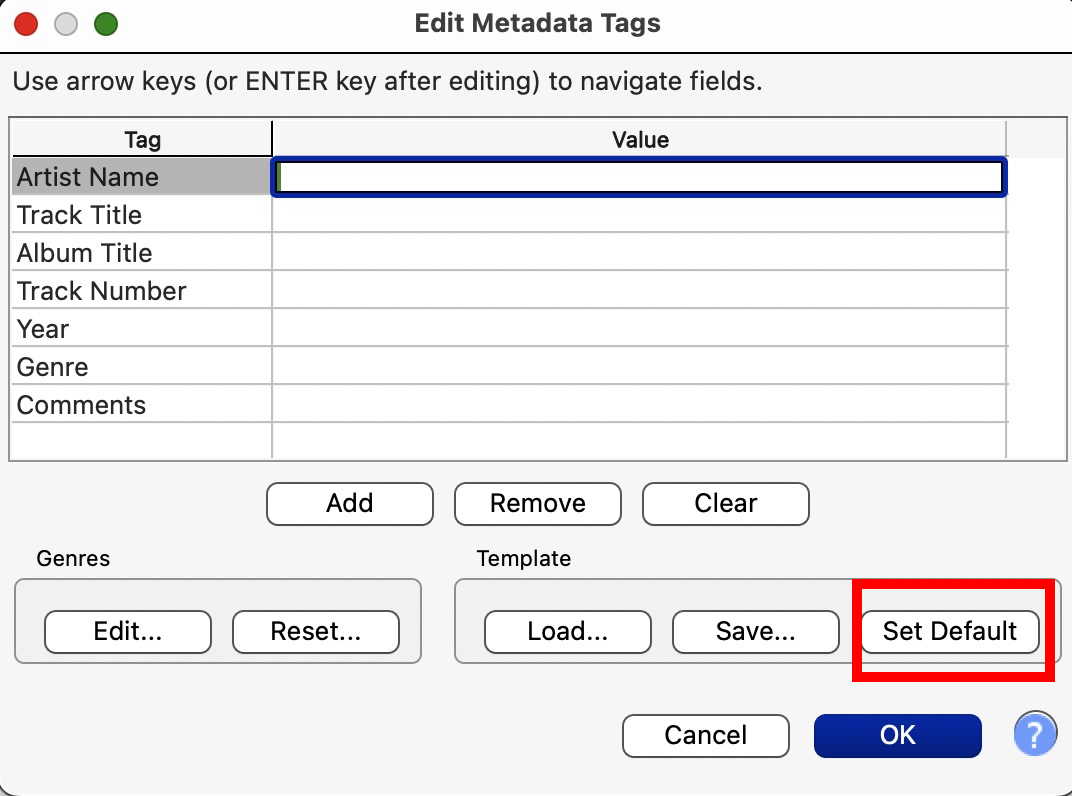
Yes, the problem with setting default is that it overwrites fields with whatever the template is. In my use case, the Artist Name and Track Title are different for every song and I want that information to remain unchanged while the other fields are cleared. Am I using the template incorrectly, or is it not possible to retain the Artist & Track for each file while clearing the other fields?
It seems.
Artist name, Album title, Year and Genre are usually the same for the whole recording. So fill in these fields and set them to be your default values.
Then export the pieces using “labels”, where the labels are the song titles, and have the exported files numbered automatically.
I usually then check the exported files using the program “MP3tag” and make any necessary corrections there. Also, using MP3tag, I can add album cover artworks (which Audacity so far does not handle).
The manual says:
Template
- Load: Loads a previously saved list of tag names and values into Metadata Editor.
- Save: Saves the current list of tag names and values to a file on your drive.
- Set Default: Makes the current list of tag names and non-empty values the default state whenever opening a new, empty project. To clear the default, press Clear then Set Default. Even if you set a Default, if you import a file containing metadata, that metadata will appear in Metadata Editor.
If you always want a fixed set of metadata to show after importing a file, you need to save that set as a template then load the template after importing the file.
The metadata editor in Audacity has never gotten much love, and I have no idea what is in store for Audacity 4.0.
You might want to try a dedicated tag editor. On Windows, I use Mp3Tag (which works with all of the popular formats, not just MP3) but the Mac version isn’t free.
Yes got it, which totally makes sense for songs off the same CD. What I’m trying to do is tag 1000s of individual songs (so completely different metadata). It looks like what I’m trying to do with the audacity metadata editor just isn’t possible.
I agree that Audacity is probably not the tool for what you’re doing.
Look into kid3 - it is free and open source.
In the metadata editor, type in just the info you want to retain from song to song, then click on Save. That creates a template that you can Load when you open the editor again for each succeeding song.
I hope I’m understanding your question correctly.
Thanks for the reply, I probably didn’t explain clearly. I’m wanting to preserve some data (Artist, Title) while clearing the rest of the data (as a default). But I don’t think that’s possible with Audacity.
The method I offered will do that. The trick is that, after you’ve saved the template with the Artist and (I assume Album) Title included, you have to click on Load and pick that template again when you open the metadata editor for the next song you want to work on. I do that all the time.
This topic was automatically closed after 30 days. New replies are no longer allowed.