How would I go about achieving this?
I tried ‘Split Stereo Track to Mono’, Ctrl+A, Mix and Render, but I ended up with this:
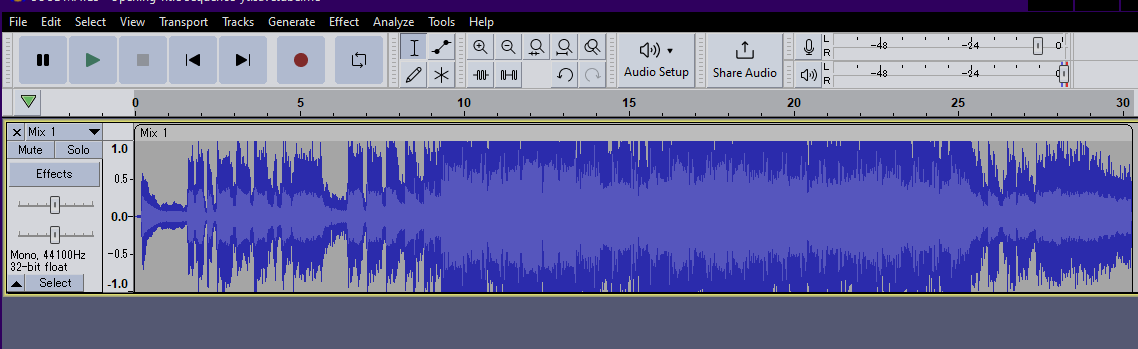
Which doesn’t sound too flash.
Please and thank you.
How would I go about achieving this?
I tried ‘Split Stereo Track to Mono’, Ctrl+A, Mix and Render, but I ended up with this:
Please and thank you.
You’re complaining about the clipping (distortion), right?
…I’m asking because lots of “normal” files look like that. 
It should be OK if you simply open the file and then choose “mono” on the export screen.
…Mixing is done by summation so you have to lower the volume but exporting as mono seems to take care of it automatically.
Analog mixers are built-around summing amplifiers but they have volume sliders for every input plus a master slider, so it ends-up being a weighted average rather than a simple sum.
Mix stereo down to mono. Set the track pan slider to the side you want the music, then mix and render, (a silent track will appear).
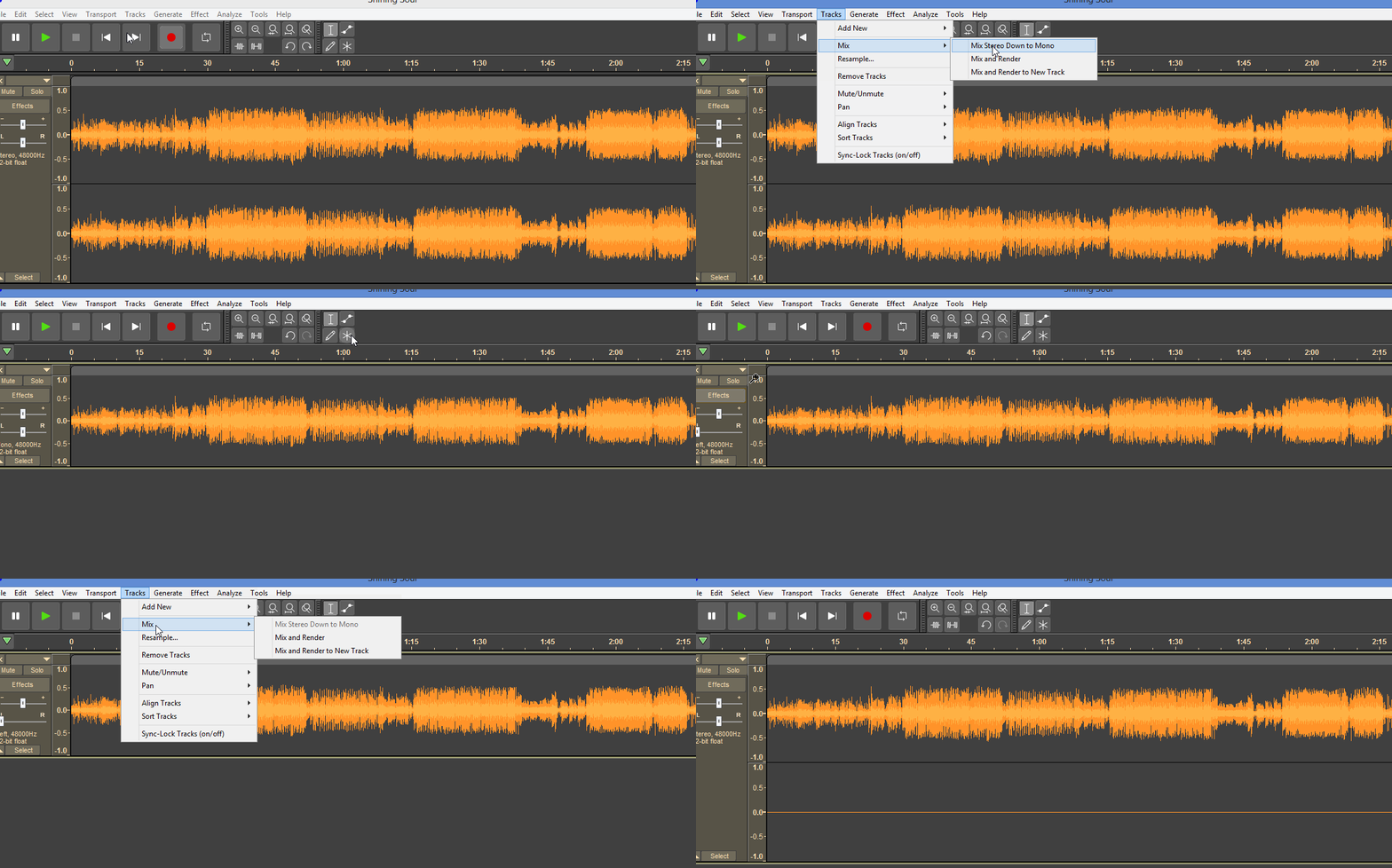
Thanks Doug and Trebor. I tried exporting as “mono” but it still included wooshy and static sounds. Trebor’s way of Mixing stereo down to mono seems to work best.
Cheers guys.
Still have to export as stereo, even though one channel is silent.
If you want to listen to stereo audio in mono on your cell phone you can do that without any audio editing software. Google “{phone} mixing stereo audio to mono” where {phone} is Android or iPhone.
Ooh, that’s way better. I thought I’d need to go looking for some dumb app which would use up all of my memory, but if I can just flick a switch in my phone settings I’ll do that. Cheers.
This topic was automatically closed after 30 days. New replies are no longer allowed.