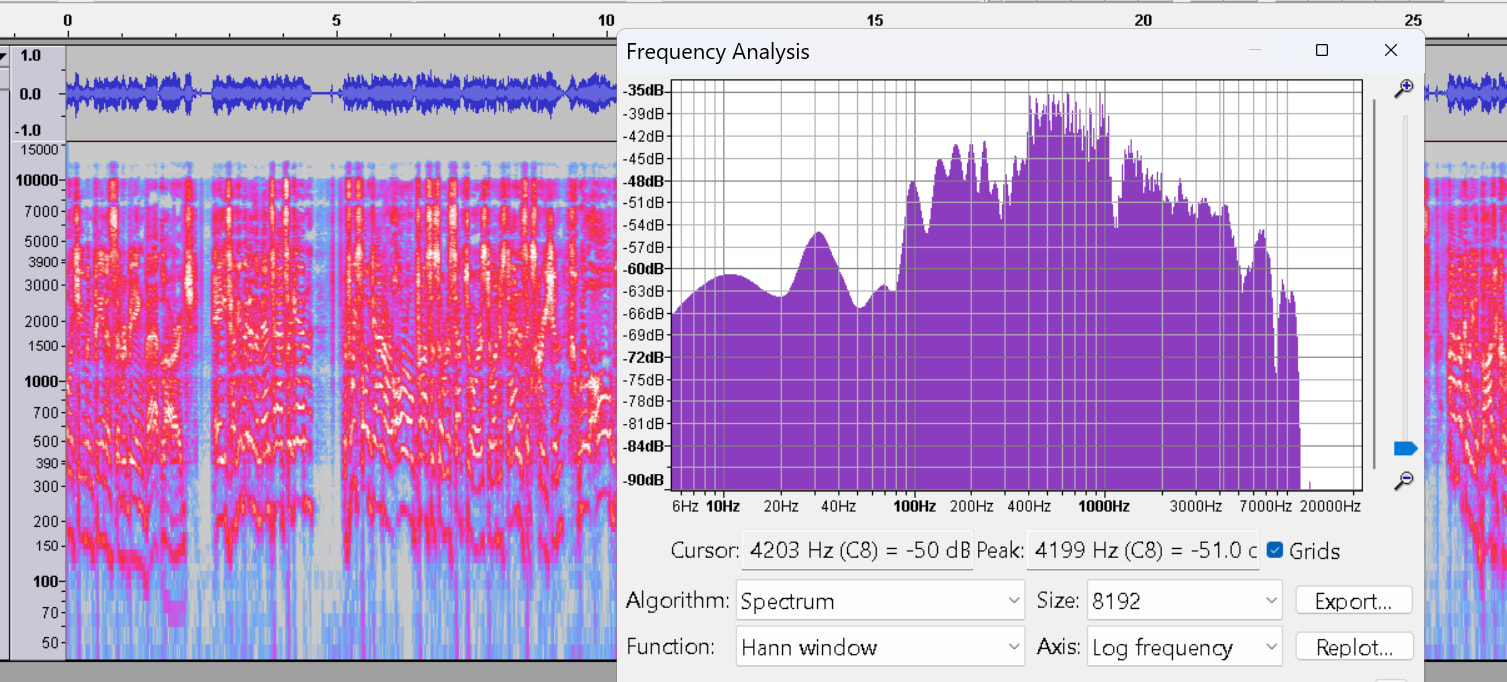
Hello! Pretty new to Audacity/audio mixing in general.
I’m trying to recreate the sound of Doctor 0 from Fallout New Vegas (example voicelines here!). Thought it would be fun to put whatever filter that’s on his voice on some other clips from his VA. I’ve been using Doctor Venture (voiced by the same guy, some example links in reply) from Venture Bros as my starting point, but the effects I’m trying aren’t doing it justice. I’ve tried using the standard telephone/radio filters or cutting out some of the higher/low ends to mimic the whole ‘old robot’ kind of sound, but it doesn’t sound right. Dr. 0 feels like he’s got a brightness to his voice that I lose when I do it that way. Adding reverb isn’t completely mimicking it either, something still sounds missing. Also, completely stumped on how to replicate the staticky quality (it seems to fade in and out as he talks, that or it’s just real subtle), or the way his voice clicks(?) on some of the emphasized fricatives, plosives, and heavy consonants (like how he says “tech” here). If that isn’t able to be replicated and that’s way too nitpicky, no worries. I’m new to this stuff so I’m not sure what could be an effect or just a microphone/voice acting thing 
Any tips/pointers? Thanks so much in advance!