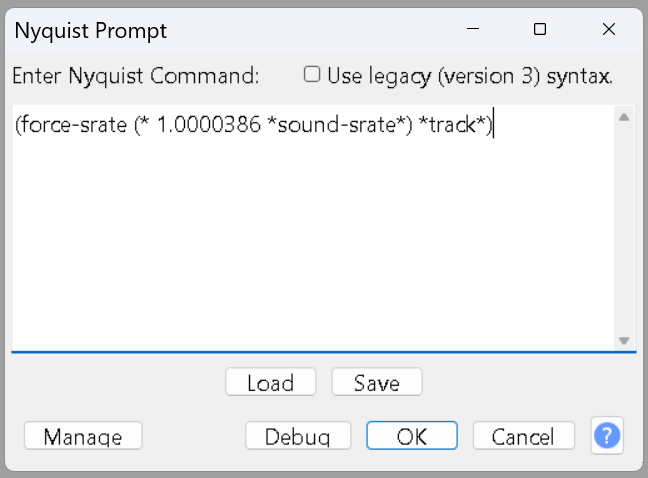
i do not want to preserve the pitch, i want to preserve the waveform
i want to stretch a clip that is just over 12 million samples long, by an exact value that is just under 500 samples, in a very simple but very precise synchronization task
- there are two clips, not produced by myself, which should nearly identical, but become very very slightly out of sync over the course of 4.5 minutes, resulting in noticeable interference between them
none of the text-entry boxes in effects or the “change pitch and speed” dialog allow me to input this precise an adjustment, not even close
- fields are in seconds, frequency, semitones, or percentage, and always cease input at right about the largest significant digit of the amount by which the length must be increased, when there are yet 3 more significant digits of absolutely necessary precision
- no effect or option i have found accepts inputs in numbers of samples; one does provide a preview of the output length in numbers of samples, but this cannot be edited as an input parameter and is unhelpful
the only method that affords me this level of precision is to alt-drag the top corners of the clip
- this is fine, i like working with clips by eye at the sample level
alt-dragging the top corners of the clip very strongly assumes i wish to “preserve the pitch” of the clip, and all methods of rendering the change (including playing it before rendering) utterly destroy the synchronization of the waveforms by completely changing the rescaled clip, due to tiny but very significant phase changes
- the destructive interference becomes severe and intolerable, far worse than before the lengthening
this is not a complex task, merely a precise one, but every feature i could use to complete it has been implemented with assumptions that appear to have made the task impossible
i don’t like that, and i wish it weren’t so