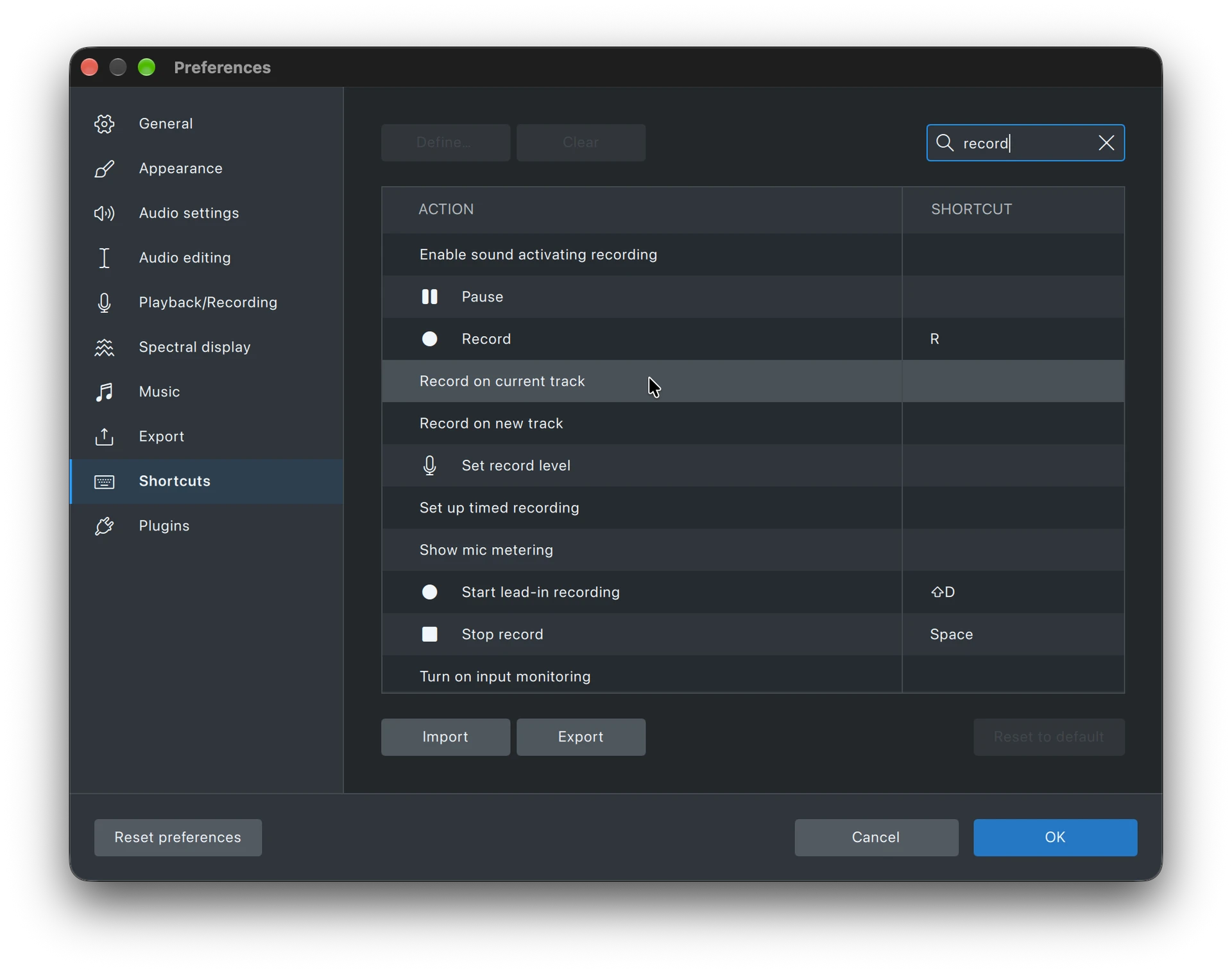
There is a strong problem with the way recording is working right now.
- First, there is no shortcut (Shift+R) for recording on new track. That’s missing.
- When I start recording on a track, it simply overwrites whatever is there. I do understand, that this can be also useful in some cases (there was no such posibility in Audacity 3, however it can be a significant problem too.
- The best is that when I press R (record), It starts to record at the end of the active track (this is how it worked in Audacity 3 and it was good like this), but shortcuts for Overwriting from the cursor position and for Recording on new track are very welcome and needed.
- I have the 4.0.1.262721353 installed, and the Home/End buttons do not work. The announcement sais it should work, but do not work for me. The announcement says it should go to project end - it would be better if End goes to the active track end (which is not necessarily the project end).
With no easy possibility to go to the end of the active track (I am recording to and making some modifications to it), and no possibility to record from the end of the track but overwriting the existing sound - results in that Audacity 4 in this moment is not at all usable for voice recordings. It’s a pity… I hope this will be resolved soon enough.
Thanks!