When using a Time Track, I experience several issues:
- When moving a point vertically, it’s hard to guess what the actual value is
- Sometimes you want to move a selection of points; I found no way how to do that
- I found no way to “reset all” (other than closing the track and adding a new one, but then the ranges are lost)
- When hovering over a point, the value should be displayed
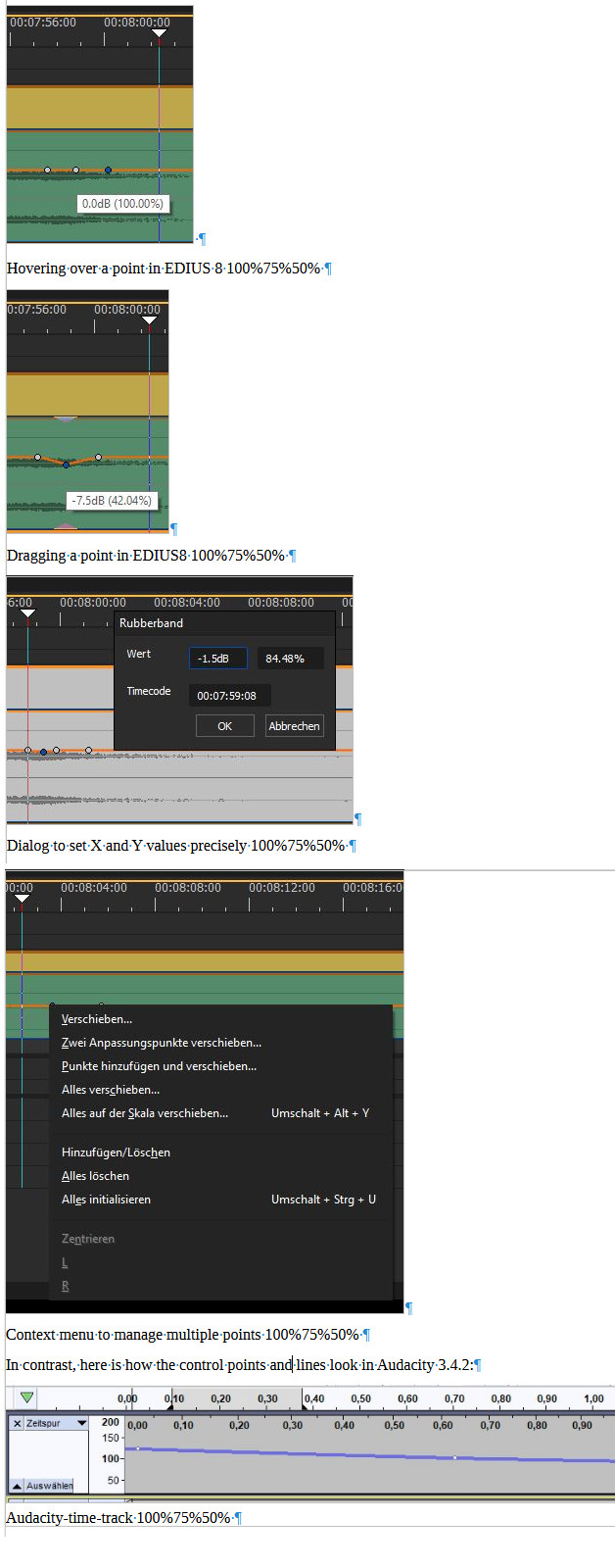
In contrast when using Canopus/GrassValley/Belden EDIUS 8:
- It shows the value while moving the point or hovering over it; both in dB and percent (in case of volume)
- It has a dialog to set the value (in both dimensions) exactly
- It has a function to move all points together
Some illustrations from EDIUS (In German, sorry! And it’s about volume, but the principles apply to time, too – I don’t like the dark theme very much):
(As I’m only allowed to add one image, I put them all into one (from the preview screenshot)):