Haven’t used Audacity in a few years, have the newest version. I saved a project (digitizing a mixtape), then I thought I edited, or removed dead space that was in between side a and side b of the mixtape. That seems to have turned my project into two separate clips, with the dead space I thought I removed still not removed, and now I can’t play anything (all that’s available is Skip to Start and Skip to End). I must have been using an old version of Audacity, because I don’t remember this being an issue. Hopefully the screenshots will provide a clue as to what I’m doing wrong.
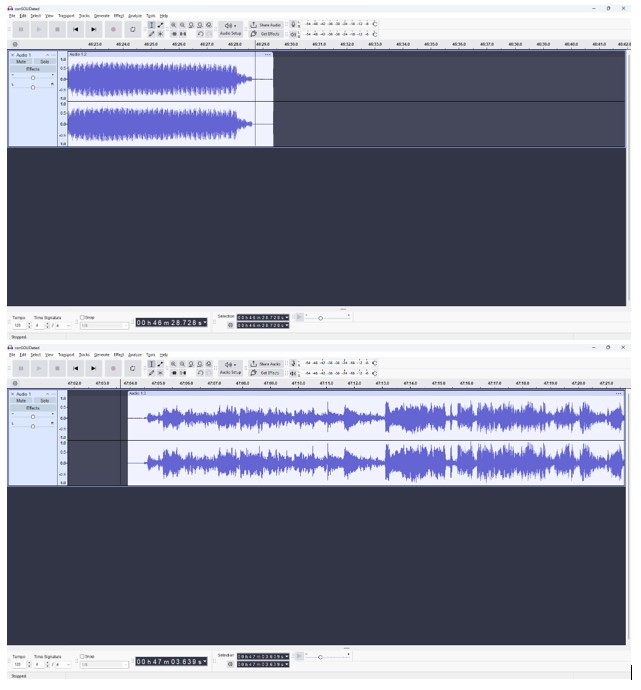
Select the second clip (click on its title) and drag it towards the first one to close the gap (do I understand what you want to do right?)
You may have accidentally dragged across somewhere on the scrub bar (that thing above your tracks showing time), enabling loop mode. Right-click it and select Clear Loop (edit: nevermind about this, I realized you aren’t in loop mode)
Thank you, I just learned that select all is your friend, and that joined the clips together into one clip. I still can’t play back this clip, I have no idea why that option went away.
This topic was automatically closed after 30 days. New replies are no longer allowed.