Hello! I’m getting myself into animation, and I decided to record all speaking scenes first, and then animate them. Now I’m completely stuck with this “sound” stage, and I cannot my current issue for 2 weeks already: when character is pronouncing “S” and “F” sounds loudly, some crackle and hiss always escort these letters. I tried de-essing, de-clipping, de-noising, EQ filters, hard and soft limiters, and nothing seems to remove these crackly little buggy noises around loud “S” and “F” sounds. Could anybody help me understand that are these noises and how can I remove them?
For some reason, MuseFX - Compress - Vocal Ride 11 seems to “fade” those hisses/crackles out, making the “S” more prolonged and therefore crossfading these little noises into that fade, that kinda fixes the issue, but that seems like cheating. I still don’t understand the nature of these freak little noises though…
UPD: It only works on the ends of the phrases, otherwise it will apply fading where its’ not necessary. Another tool, Scoop, seemed to help with “S” noisy surrounding sounds but not entirely. Also “F” noises were not affected almost by Scoop.
Your sample is highly processed: too much noise reduction.
before-after spectral editing
1 Like
After beep, the speech was much more pleasant to hear. Thank you so much.
I tried to learn and repeat, and I guess that you did Spectral Deletion of 0-1300 Hz sounds and also reduced the brightness of the “waves” around 2000-6000 Hz via Spectral Edit Multi Tool? That seems to help a lot!
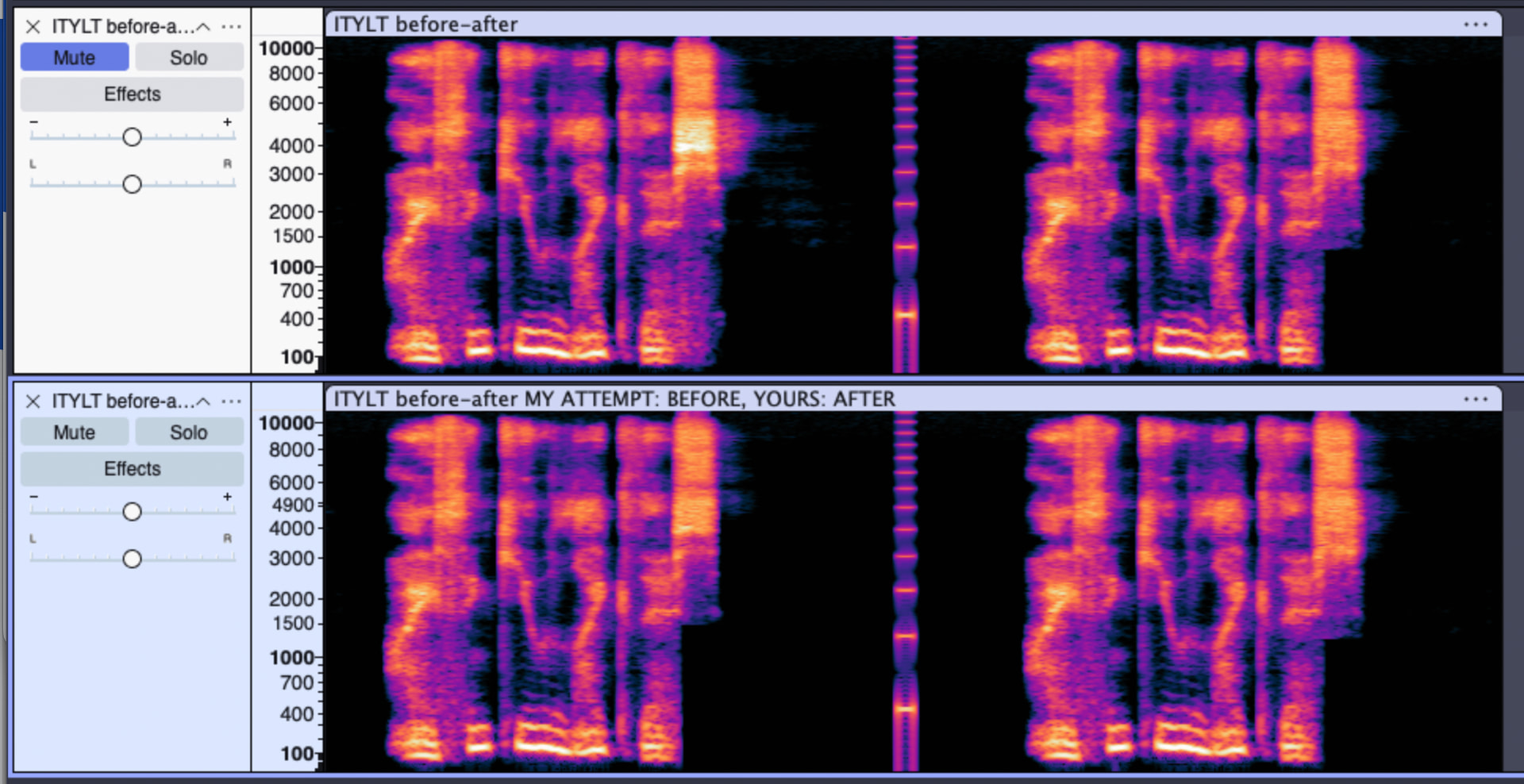
Here is my audio results - before the beep is mine, after the beep is yours. What I did: Spectral Deletion of 0-1300 Hz sounds and also reduced the brightness of the “waves” around 2000-6000 Hz via Spectral Edit Multi Tool. But I think you also did something else to soften the “S” sound, because it seems the “S” sound got less sharp and less ear-bleeding (and my “S” still hurts my eardrums).
I did also use the desibilator plug-in which is capable of high-resolution de-essing.
However, rather than hand sculpt each sibilant sound, need to stop it happening in the first place.
It sounds like excessive noise-reduction is occurring somewhere. There can be more than one layer of “audio enhancements” that need to be switched off for faithful recording.
1 Like
This topic was automatically closed after 30 days. New replies are no longer allowed.