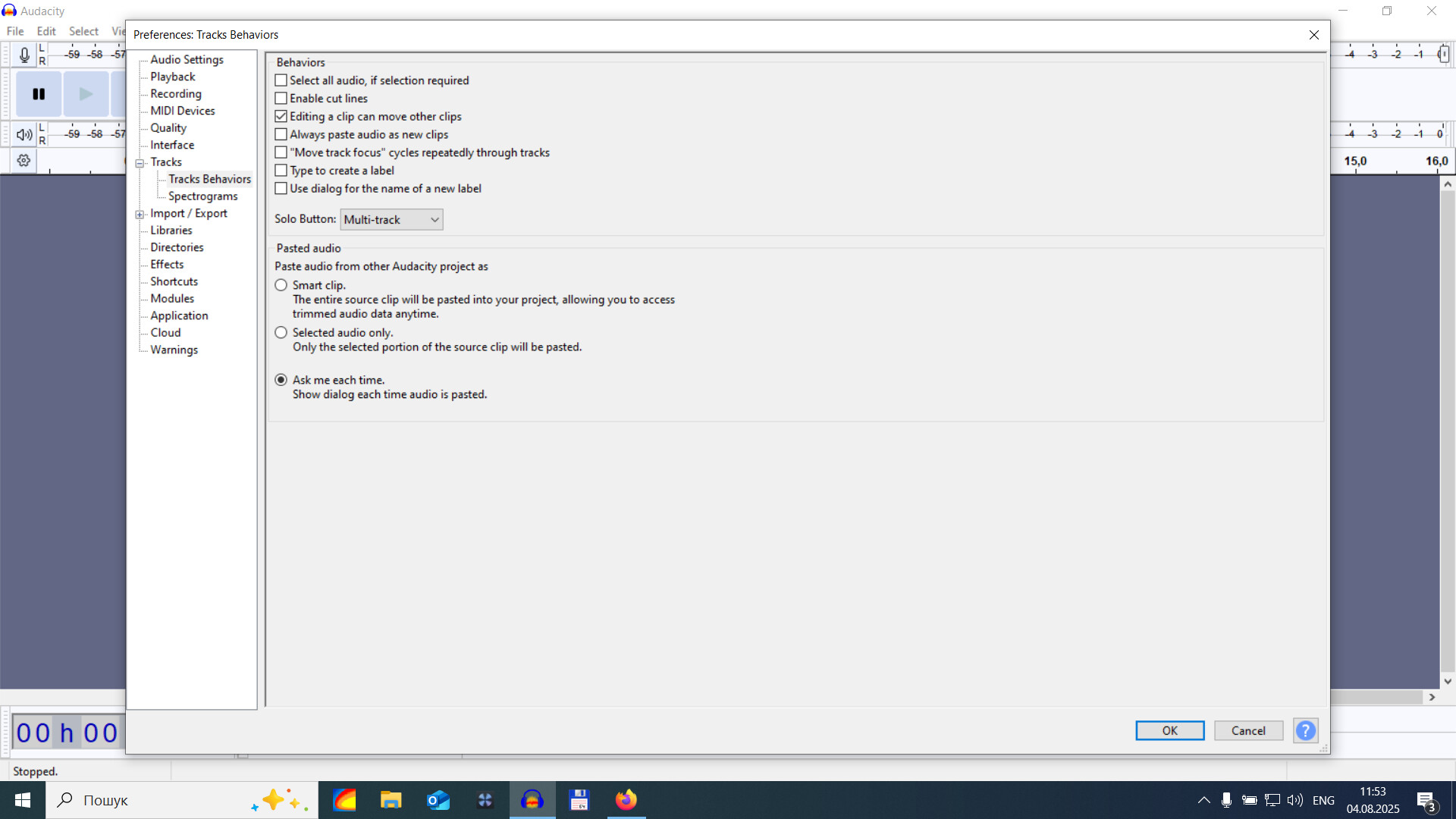
Seems obvious,and done it for years, delete and the gap is gone. Since I have moved from Ubuntu to fedora 42, this doesn’t work any longer. I can delete, cut, whatever, but the gap remains. Google (KI) says Ctrl+X. But also this doesn’t. The content is gone, but the gap stays. There is a Remove Special, but it only offers Cut and Delete, both with “and leave gap”.
(I wonder, since I have half a dozen installations of Audacity, and this never occurred to me. Even a reset to ‘default’ didn’t change this behaviour. Whoever did modify this, I permit myself to question his reason.)
If you have more than one version of Audacity on a computer you need to ensure that each has it’s own portable settings, otherwise they can share/corrupt each other’s settings.
Thanks, I was ambiguous. I mean, over the years half a dozen of different PCs on which I installed Audacity, of course one installation only. I don’t do much difficult stuff with it. I am no audio freak. Just cut/copy/paste audio files, no more effects usually than fade-in/fadeout, volume normalization, format conversion.
This is why I felt pretty helpless with this behaviour. Sorry that I had to ask.