I have transcribed a sound file with Openvino AI Whisper Transcription, and I have exported it with Edit/Labels/ Label Editing. Here I can see that the the labels are put in a table with 6 columns and rows. I get three choices for export formats - txt, srt, vtt.
I am trying to get only the contents of the column with the transcription. I do not need the time stamps for instance.
Does anybody have an idea how to do so?
I thought myself: Is there a way to export the entire table with all 6 columns? If so, I hope to open the table in another programme, and then remove the not-wanted contents of the other 5 columns.
Thanks a lot for creating this Forum. :)
The OpenVino plug-ins are made by Intel, not by Audacity.
Documentation and support can be found via their GitHub: GitHub - intel/openvino-plugins-ai-audacity: A set of AI-enabled effects, generators, and analyzers for Audacity®. · GitHub
Labels are very much an Audacity thing, not an OpenVINO thing.
I am not sure what is meant by 6 columns. I suspect that this is just the way the labels are being formatted on that particular screen. Drag the bottom of the label section up and down and see if the number of “columns” changes.
Labels can be exported to any of the formats and there are web pages to convert them with and without the timestamps.
Thanks, Wrecks0.
When I am in Audacity Edit/Edit Labels, I can see the table with the 6 columns.
You write “web pages to convert them with and without the timestamps.” I am not so good at this. So could you suggest a web page that can convert the srt file or the vtt file without the timestamps?
larsalb, are you talking about the Label Editor?
Hi Steve.
Yes, Edit/Labels/Edit Labels.
The format of exported labels is described here: Importing and Exporting Labels - Audacity Manual
Based on what I see from the documentation Steve provided in the post above this one, the data is exported as tab-separated text. You should be able to import that into Excel or some other spreadsheet program and delete rows and/or columns of data you do not need.
thanks, Steve.
Thanks, Rex.
I have already tried importing the srt file into LibreOffice Calc, and also the vtt file. In both cases the result is only one column, in which there is first a row with a consecutive number, then a row with the timestamp interval, then a row with the transcription text, and then a blank row. Then it continues in the same order for the rest of the transcription.
This means that I cannot remove the consecutive numbers and the timestamp intervals in one go.
That is why I was interested in the converter web pages you mentioned.
Am I doing something wrong when importing into Calc?
The documentation in the link 5 posts above says to export the labels to the TXT format to get a tab-delimited file. An SRT or VTT file will have a different format.
I already tried to export in txt format. However, it does not give what is needed to easily remove the timestamps. What I get is the timestamp interval in the beginning of each text line, followed by the transcription text. Maybe I can show you here:
384.928451	386.588451	 og smører næsen hver gang,
386.588451	388.528451	 og så bruger jeg resten ned på lungerne,
388.528451	390.568451	 eller på tøm hud, fordi så går det rundt.
390.568451	393.628451	 Og det er jo sådan,
As I can understand it, I will have to remove each timestamp one by one.
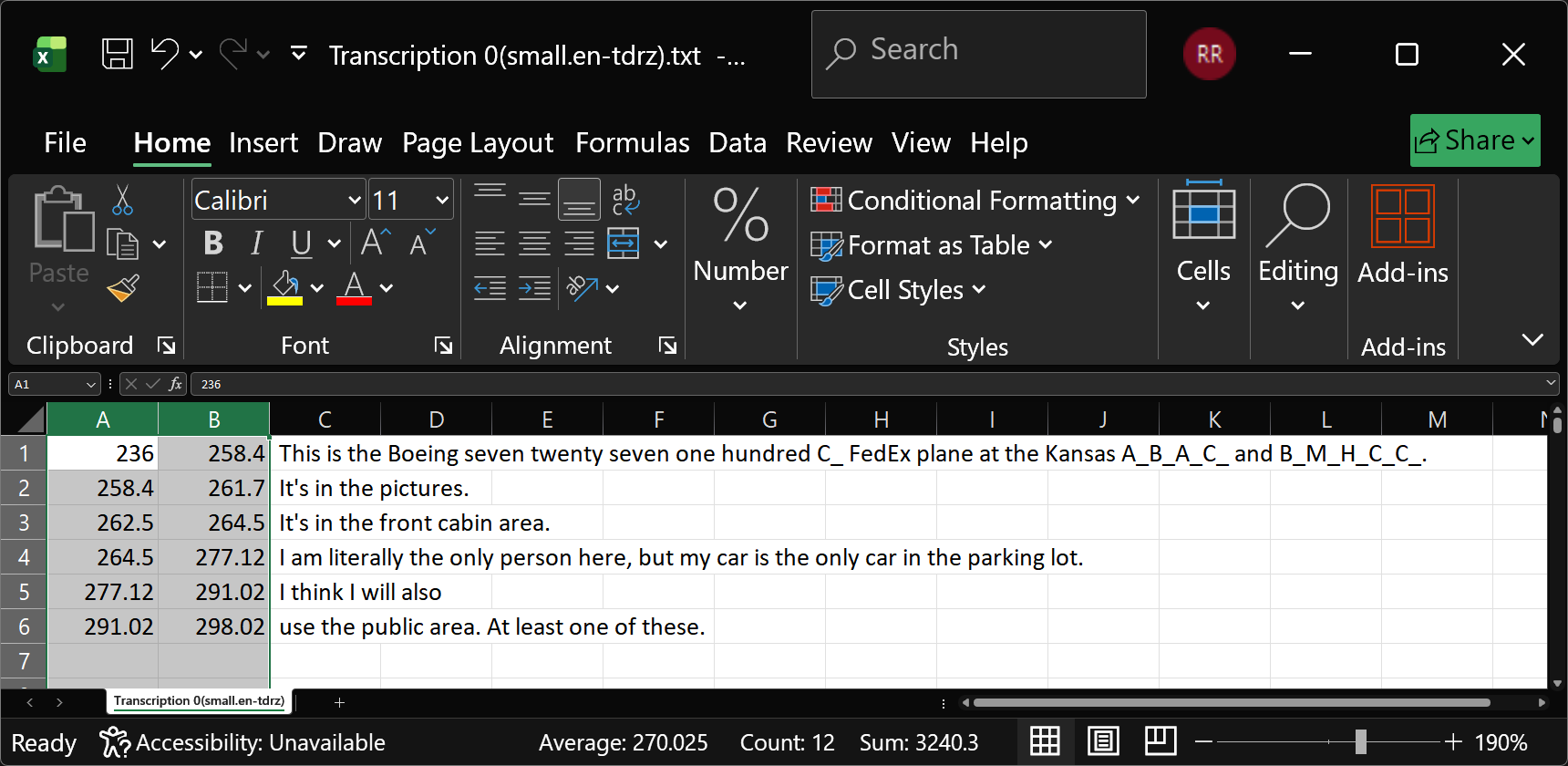
Thanks, Rex.
You are right. Now I can do it, too.
At first I could not do so, because I did not select “tabulator” as a separator in the Import window.
That teaches me to really listen/read carefully the instructions I get from you in this Forum.
Now I am all set to use the transcription feature in Audacity. I have many sound files to transcribe.
So once again, thanks a lot, to all of you helpers. :)
lars
I am pleased to know you got it working.
At this point, I don’t know which post you would mark as the solution. The answer sort of evolved.