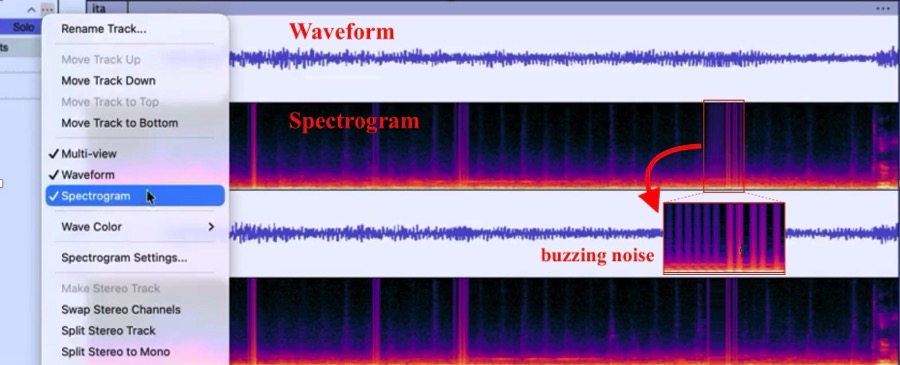
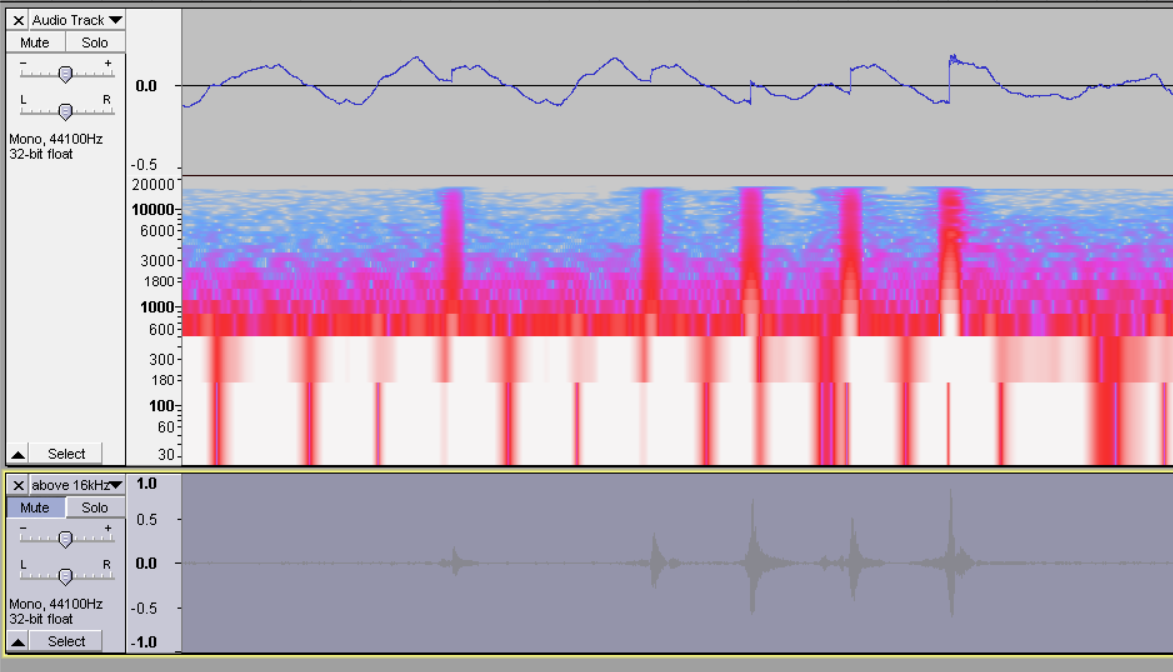
How can I label sections of audio which have an electronic buzzing sound? These sections are difficult to see in the Waveform view, but easily seen in the Spectrogram view, particularly if they occur in a quiet area, which are the places I’m most interested in. I’m hoping for something like ‘Label Sounds’ which I use all the time for other purposes.
This image demonstrates what I mean, and this video includes audio so you can also hear what I mean. I’m not interesting in applying a filter to all the audio since that reduces quality (at least in my hands) – I just want to label them so I can go and fix each case where the buzzing is in a quiet section.
Thank you for the suggestion @Trebor – I tried it briefly, but I’ll have to do some more testing when I have more time to see if it’s going to work practically for me. But I do think this makes a lot of sense and it should work.