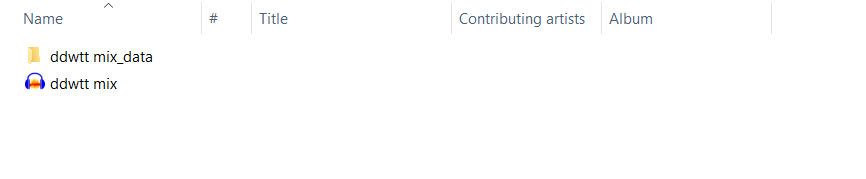
Everything appears to be there, but nothing will load. Am i missing something? Theyr’re on a hard drive so not in their original locations.
Error messages when loading include ‘Error while processing inserting silence’ which relates to 1 x au. file and ‘could not open file incorrect filetype’.
Any help would be absolutely amazing, these are old DJ mixes i recorded and I’d love to get my hands on them.
Have you tried copying one such project back to the internal hard drive and trying it again from there? It might be that simple. I also seem to remember that another user wrote a script to convert the old format to the new one. Roughly, how many old projects do you have?
Mark B
Oh dear, that’s not what I was hoping for. Would you be willing to share one of the projects via Google Drive or something and I will try? If I succeed I can either relay what I did or convert the others, since there is a small number of them.
Moving the AUP project was always a bit “dangerous”.
Everything has to be kept-together in a file with same name - AUP Project Files
The new AUP3 format is better but it’s still more complicated than regular WAV or FLAC files and it only works on NTFS or exFAT drives (although it can be temporarily backed-up to a thumb drive or “the cloud”.) So I always recommend exporting to WAV or FLAC as a “back up”.
Not true. It works for sure on APFS (Apple File System) and probably (untested by me) also on HFS+ (the “older” file system of Apple before APFS, until about macOS 10.13. Otherwise, no Mac user could ever use Audacity.