Hi. I am new to Audacity. I was recording an interview and had to pause about 20 minutes in. I hit Stop (I realize now that I probably should have hit Pause instead). Then, I hit Record when I was ready to resume the interview. I could see waves and the timer advancing (a little over 1 hour). I didn’t close Audacity at any point. During playback, I initially saw Audio #2 at one point. I started listening from the beginning and got to the end of the 1st track. I don’t see the 2nd track and I don’t know how to find it. Please help.
There’s options for what you did.
Audacity > Edit > Preferences > Recording > Record on a new track.
If that is selected, the two tracks will appear one above the other.

If it’s not selected, the two tracks will appear one after the other.
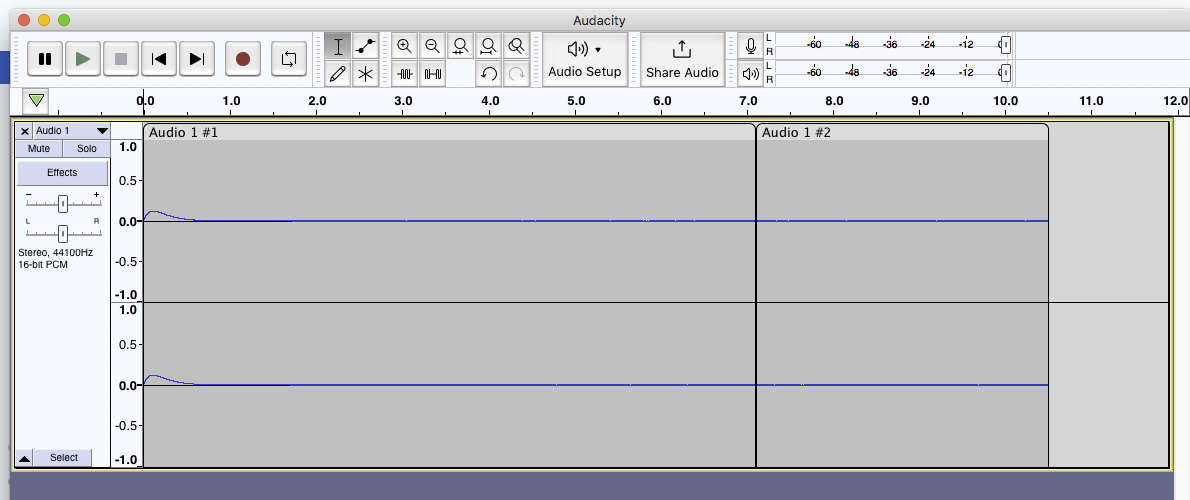
Those are the only two options I know of.
As long as you didn’t close Audacity, all that should still be there. Fair Warning, neither of those is a simple sound track so Exporting As WAV may not work. Saving a Project will.
Koz
1 Like
In Audacity, you can View > Zoom > Zoom Out until you see the whole show.
Koz
1 Like
This topic was automatically closed after 30 days. New replies are no longer allowed.