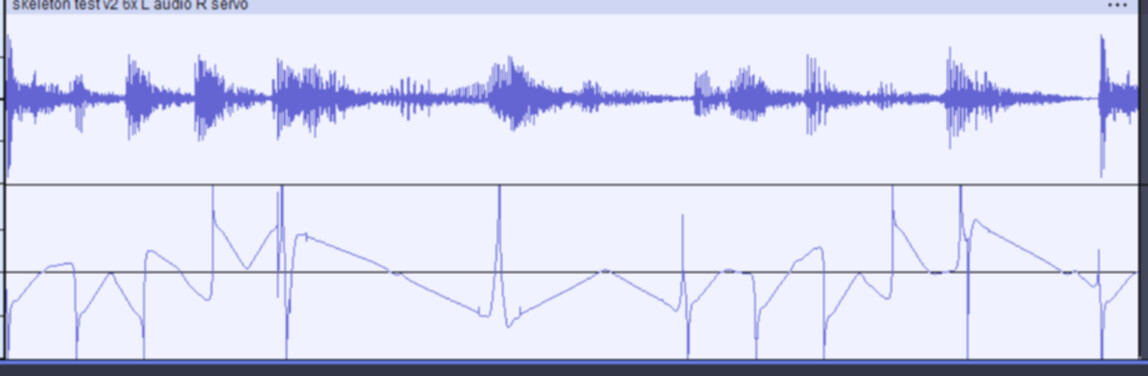
Okay, my Audacity friends, I’m in desperate need of assistance. I created the top wave form as a test, and then used Audacity (I’m can’t vouch for which version, although I’d say it was a more recent one - I have 3.6.4 now, but I may have used a different version when I made the new waveform) and its effects to create the bottom signal which I’m using to be processed and to control a servo. For the life of me, I CANNOT figure out which filter was used (or filters), but once I happened upon it, I don’t remember it being a very complex process, and I can’t seem to replicate it. Basically, I’d be happy with a result that simply replicates the positive side of the ENVELOPE of the original waveform, but the one I’ve got shown works nicely too - I just can’t reproduce it for other audio tracks. The bottom waveform is taken from the DAC-R of a Dxplayer mini into A0 of a Nano, is processed into a PWM signal for a servo, and all that works perfectly, but I just need to do it again for more audio tracks.
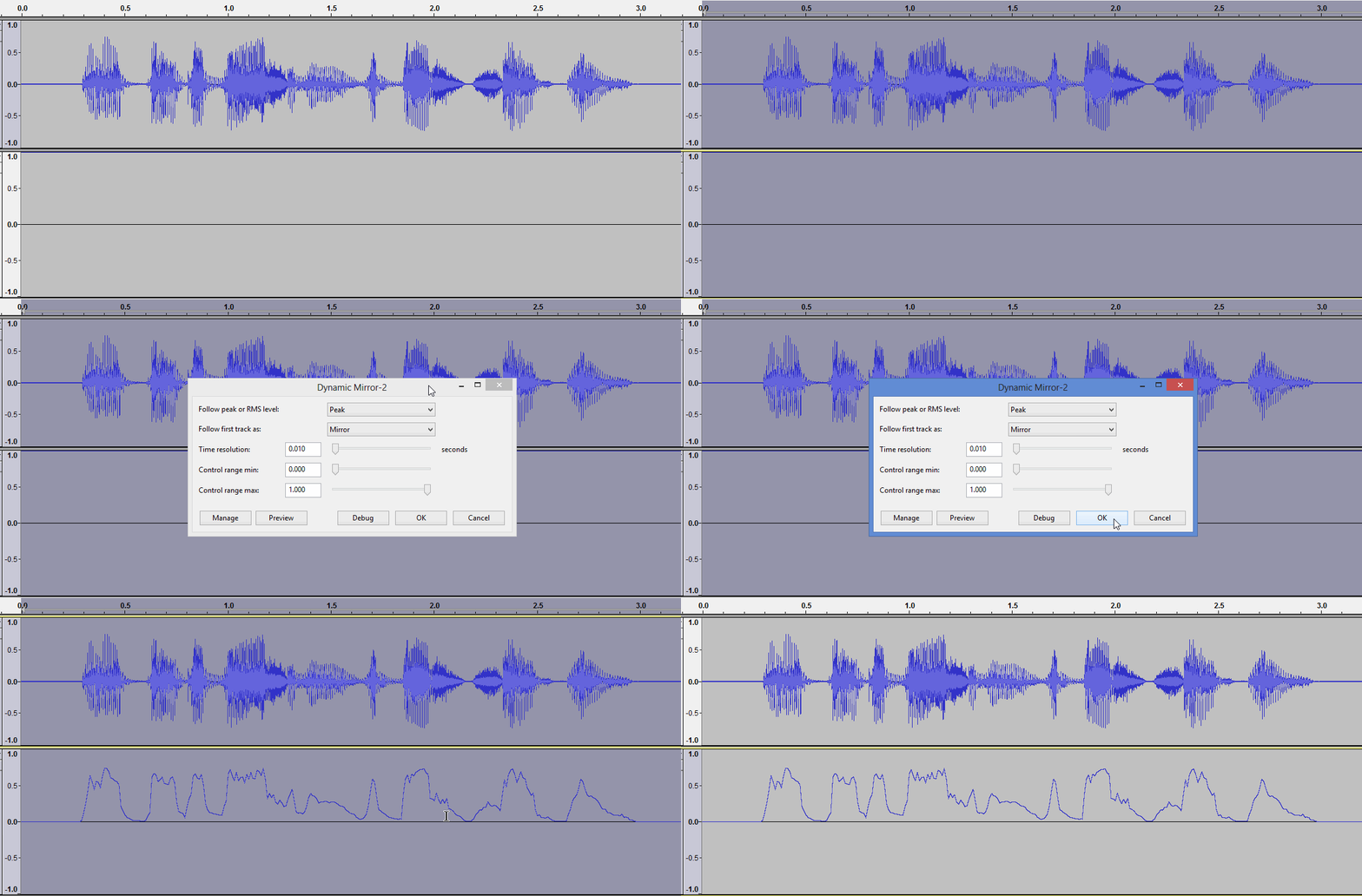
Need to generate a +1.0 constant track. Apply this nyquist code to silence
(sum 1 *track*)
Then use Steve’s Dynamic mirror plug-in as an envelope follower.
How do I generate the +1.0 constant track? And is that the ‘silence’ that you’re referring to?
Generate some silence. Select some of that silence. Apply the nyquist code to it.
That creates a constant +1 signal: a horizontal line at +1.
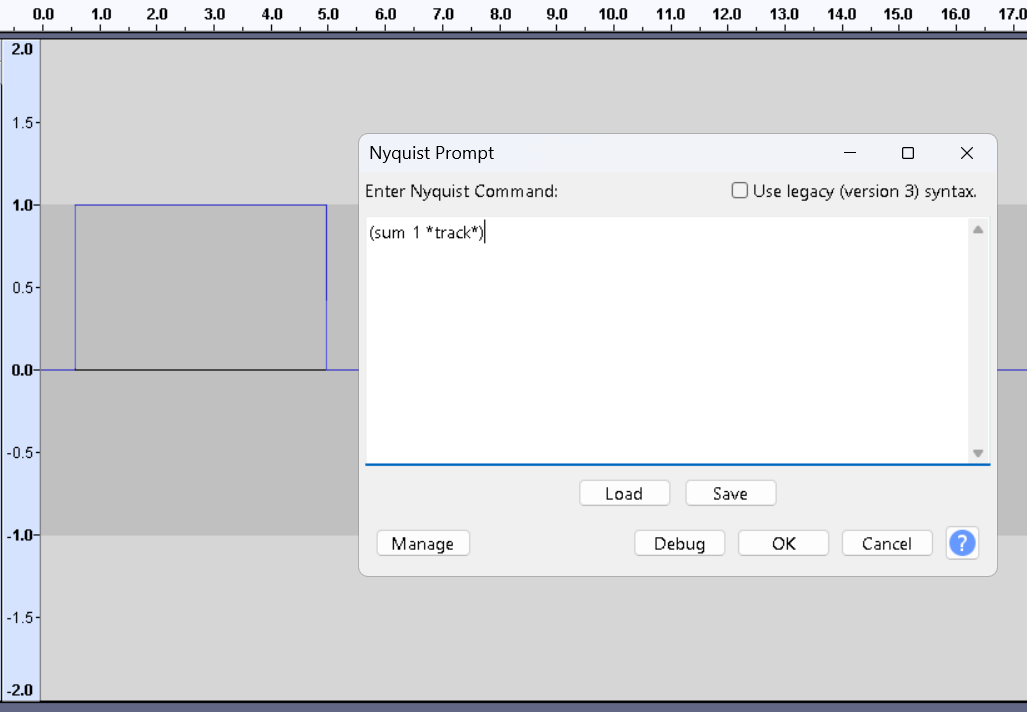
Thanks for taking the time to respond - much appreciated! I’m mad with myself for not writing down the steps I took before - I think they must have been quite different and relatively straight forward, such that I didn’t think it was necessary. But it certainly wasn’t like this
You shouldn’t feed the regular audio into the Arduino because the Arduino can be damaged by the negative half of the waveform, or the audio can be “damaged” (distorted).
I don’t know about the DXPlayer but most audio devices will filter out the “DC component” so you’ll usually get positive and negative voltage even if the incoming audio or digital data doesn’t go negative.
Did you write the Arduino code? (So you can modify it?) You should be able to make an envelope in software. Or you can make one with an op-amp. I use a version called a Peak Detector which “follows” the peaks for my Arduino sound activated lighting effects. (This also kills the negative half of the waveform.) Note that op-amps usually work best with positive and negative power supplies.
Or this circuit will bias a line level signal at half of the power supply so the Arduino doesn’t see negative voltage. Typically the bias is subtracted-out in software:
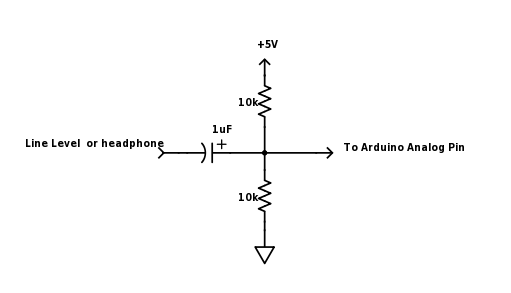
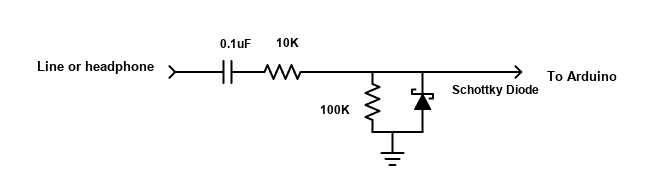
Or this circuit safely “kills” the negative half of the waveform:
How do I install and use the Dynamic Mirror plug-in?
Then you have to enable the plug-in in the plug-in manager …
Got it all sorted = thanks so much for your help! And the result is MUCH better than my first attempt with that other waveform! My Halloween skeleton’s jaw is moving in perfect sync now with the audio track!!
If you attenuate the high frequencies in the speech audio, (say >4kHz), to generate the envelope, the jaw movements will be more realistic: >4K is mostly sibilance, when the mouth is almost closed.
(use the original unfiltered speech audio for the sound heard )
This topic was automatically closed after 30 days. New replies are no longer allowed.