I have just purchased a MacBook M4 air and I can not get Audacity to record from my turntable, there is sound coming in to the computer as seen in the sound setting on system settings I have gone over everything and all I get when press record is a straight line and nothing in the recording monitor, I have used this many times before on my old iMac with no problem, gone trough audio settings and transport many times, uninstalled and redownloaded to no avail, tried another software and this worked properly so not comp something I’m missing on Audacity
Does Audacity have permission to listen in on the device? The permission may have been lost during a system or driver update.
Audacity really should look itself and tell the user if it doesn’t have the right permissions, rather than silently failing to do anything.
Thanks for the reply how do I give permission I agree this must be the problem
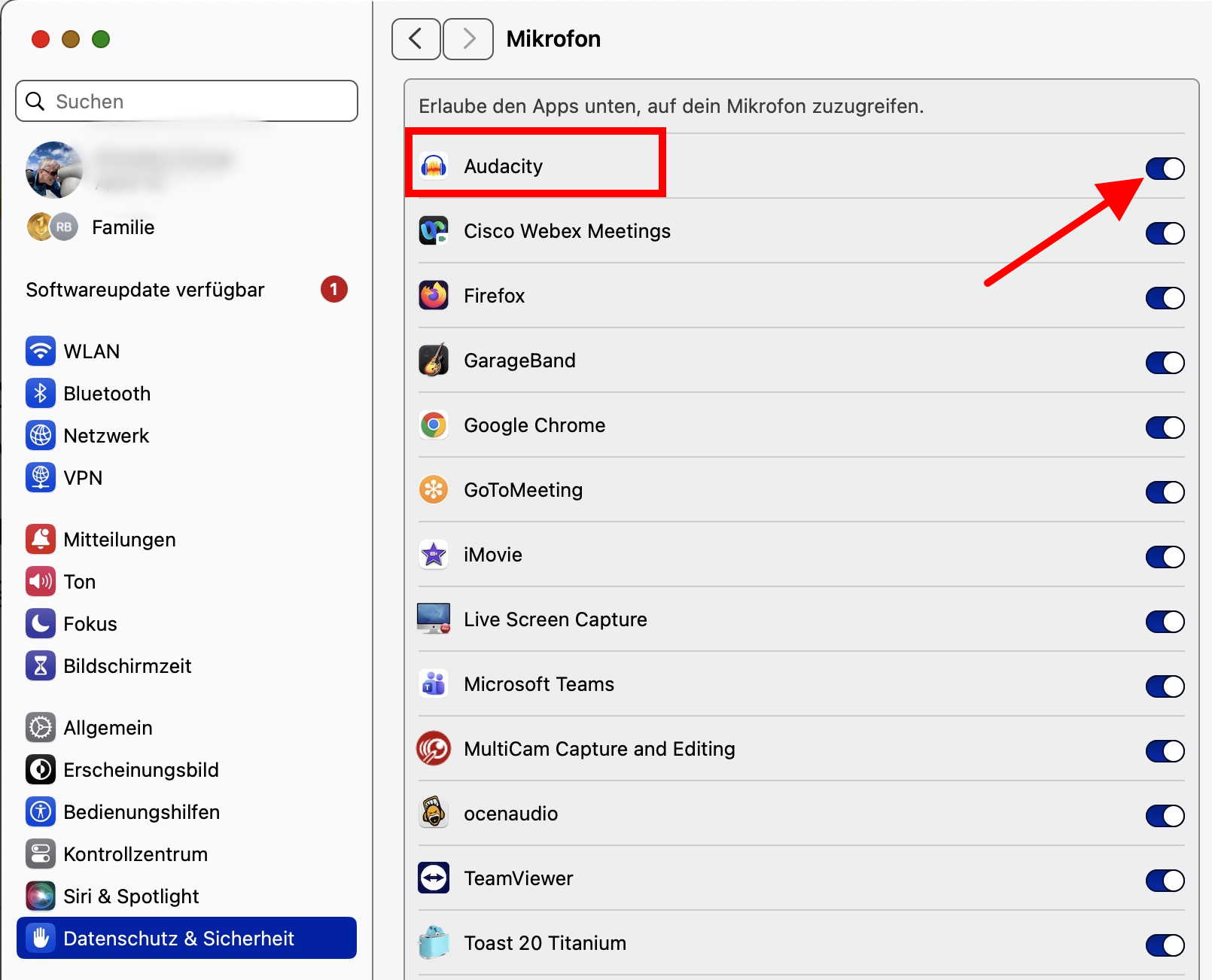
Thank you so much Romontschun I now have a working Audacity it’s been driving nuts you are a star 

This is one of the “improvements” of the new operating systems. They try to make a computer as unusable as possible 
And it is not only Apple. Microsoft has done similar things with Windows…
It’s a security thing.
Without this permission in the operating system, any program running on your computer could access a microphone or streaming service and record what you are doing without your knowledge.
I know this. But a “new user” does not, nor does someone upgrading their OS from an older version without this feature. And Apple as well as Microsoft never communicated this actively - they just let run the users into the mistakes. I cannot count how many times I have explained this in this forum (and also elsewhere) to desparate people who think the program or their machine is broken…
Thank you one and all for all the info as you say they don’t tell you about this I do wonder why Audacity don’t highlight this in the manual
I don’t think it needs to be mentioned in the manual.
If an installer app is used, it should ask for the setting.
If the application can be dragged from the disk image (.dmg) directly to the applications folder, it should on first start present a dialog mentioning the necessary settings.
I have seen apps where one of these methods was implemented. So it is possible, no excuse here.