I REALLY need help! I’m an antiquated fella, that’s really “trying” to make my podcast more pleasing to the ear. I recently purchased a Shure MV7+ and a Focusrite 2i2. And now, I can only record in mono. Sounds lopsided with listening! Is there any remedy for me create stereo. When just selecting mic, stereo, but lose the “quality” of sound produced thru 2i2! Anyone can provide an easy way to understand how to “FIX” this issue? Thanks in advance!
Split stereo recording to 2 mono, then delete the silent track. The remaining mono track sound comes out of both speakers.
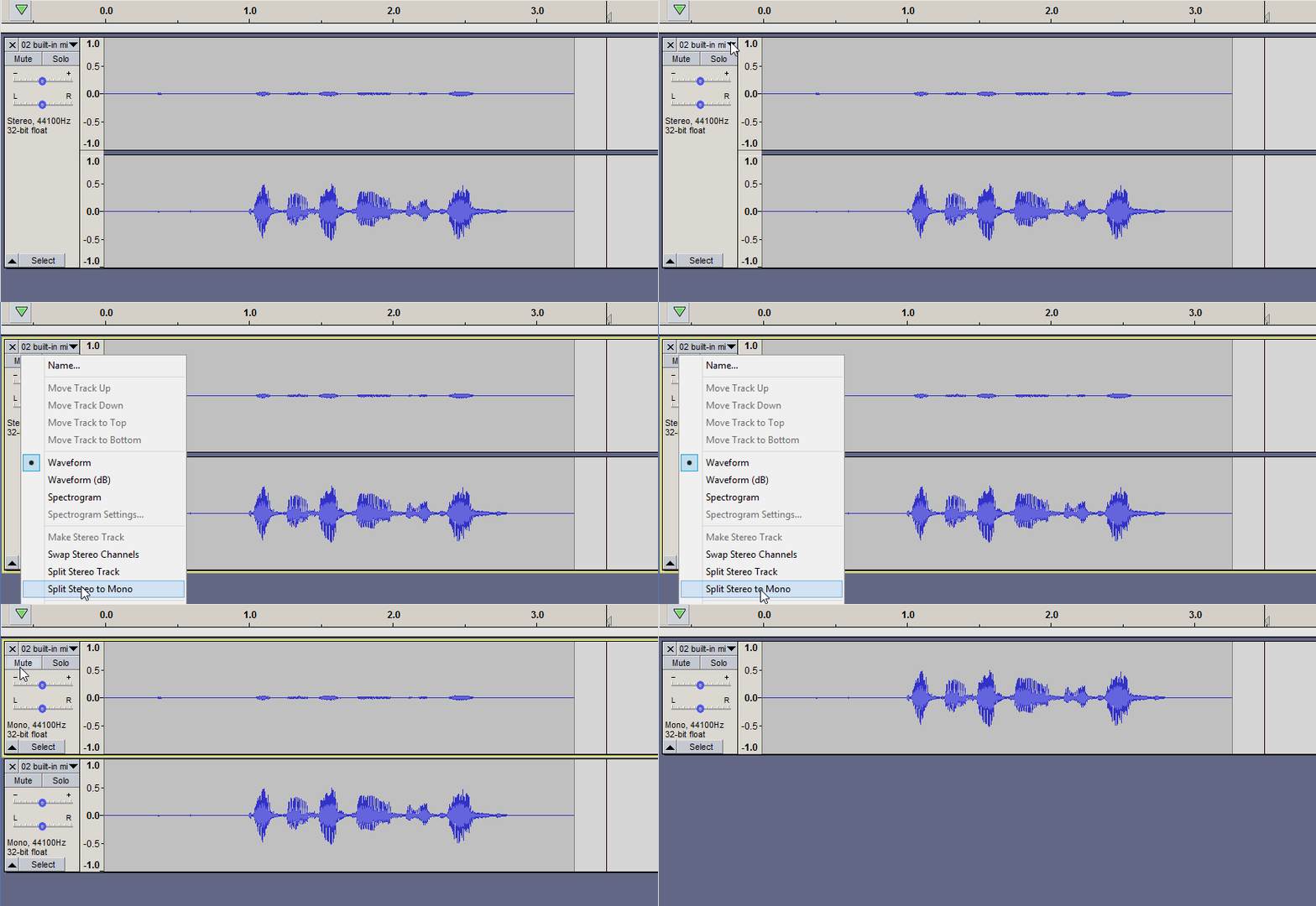
https://manual.audacityteam.org/man/splitting_and_joining_stereo_tracks.html
Just FYI - A single microphone is mono (unless you have a stereo mic which is two microphones in one case, one pointed left and the other to the right).
You can record in mono with a stereo interface but Audacity has a “feature” that cuts the volume of each channel in half so you don’t get clipping (overload distortion) when the left & right channels are combined. If you’re only using one channel the volume will be cut in half.
From what I found the MV7+ has a USB connection so you don’t need the Focusrite. (And it should record “normally” in mono.)
THANK YOU! I’ll give it a try! I’m planned to broadcast on Monday! 
Can I add one more aspect to my dilemma. I have intro music for 01:00 and outro music for 01:00. do I need to merge them so Audacity sees them as one track? I failed to mention that fact in the “request.”
Drag-n-drop the (stereo?) music into Audacity. It will appear in its own track.
Then drag the music into position using grab handles … https://youtu.be/HpA138b-J9s?t=53
IT WORKED! Thank YOU, SIR! SO grateful!
1 Like
The online Audacity manual has some great tutorials.