Hi, I have some audio where the voice sounds a little muffled throughout. I don’t really know how to explain it so I attached a sample. It’s not horrific but I’m trying to transcribe it and it’s very difficult to understand a lot of parts/words. If anyone could help I would GREATLY appreciate it. Thanks!
Try this. It’s a little better – particularly if you have some inkling what the words are ahead of time.
I did Effect > Equalization, Effect > Amplify, Effect > Equalization. Two passes through the equalizer tool with an amplification correction in the middle.
There’s probably a way to send you the curves, but this should get you started.
Set the Equalizer in Audacity 1.3 as shown in Equalizer1 (attached). Then Effect > Amplify > OK. Then Effect Equalization and set that one to the same settings in Equalizer2.
That’s how I got as far as I did.
Koz
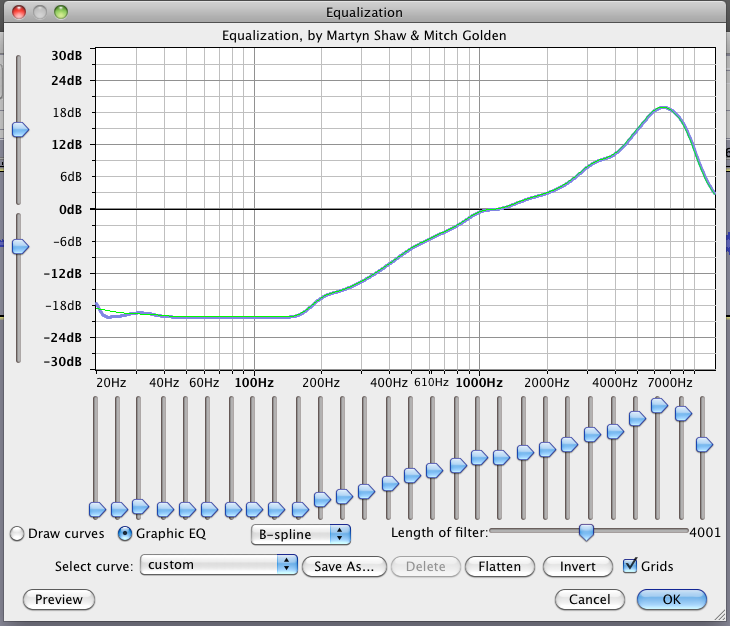
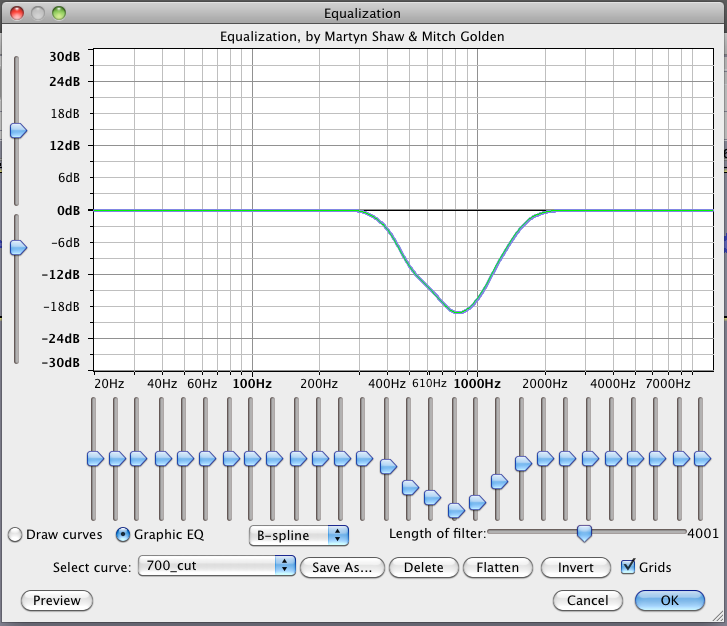
Different method, similar results …
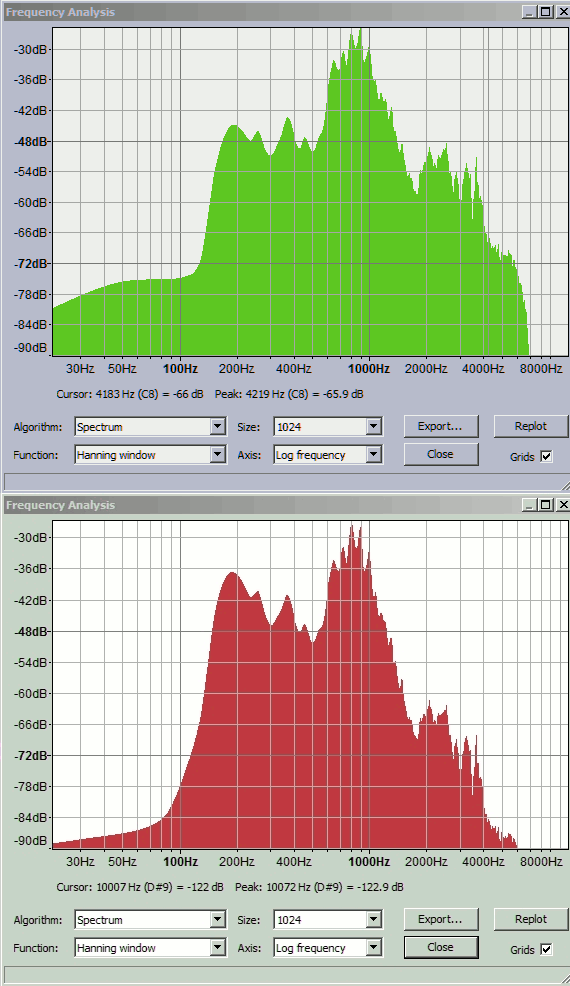
You have to get rid of the honky microphone around 700Hz and then push the overall response flatter with more energy at 3000. I did it two steps so it’s more obvious what I did. The first step reduces the overall level to trash, so I boosted it back up before I applied the second which makes the result crisper.
I can understand more of the voice, but I still can’t dig it all out of the mud.
It should be a revelation to the poster if they’ve been working with the “before” track.
@tdlach Now you get to tell us how the recording was made.
Koz