I have a MacBook with Tahoe 26.4. Audio-Technical USB turntable.
I’m trying to digitize some LP’s, record them to my MacBook, then copy them to ITunes.
The record button is kinda a greyish red, I have no trace showing.
I’ve tried to follow instructions for downloading and launch from application folder. I’m getting frustrated. Please help I’m in Toronto Ontario. Maybe a phone call?
Can you answer these questions about your configuration to help troubleshoot?
- How do you have the turntable audio physically conennected to your MacBook? USB? How?
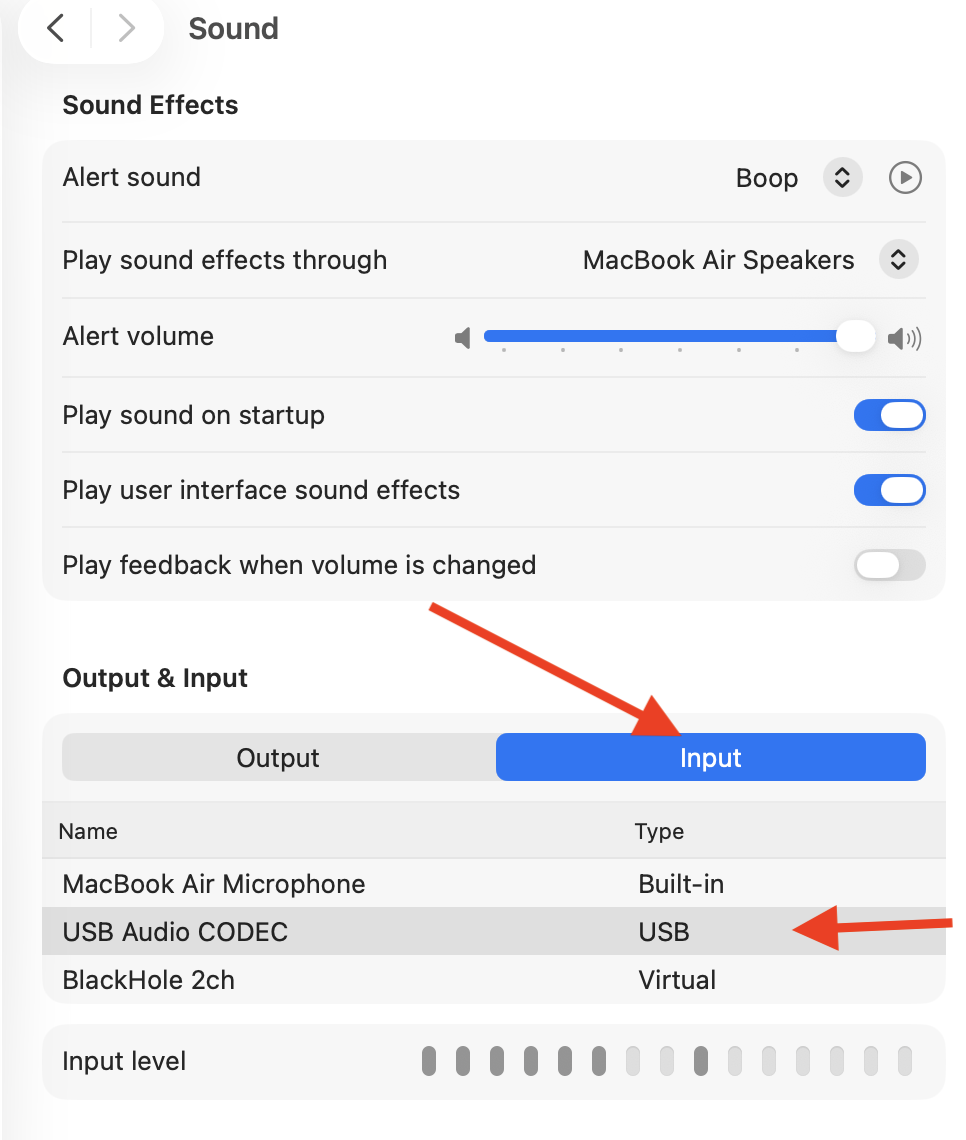
- What is the Mac’s System settings, Sound, input show?
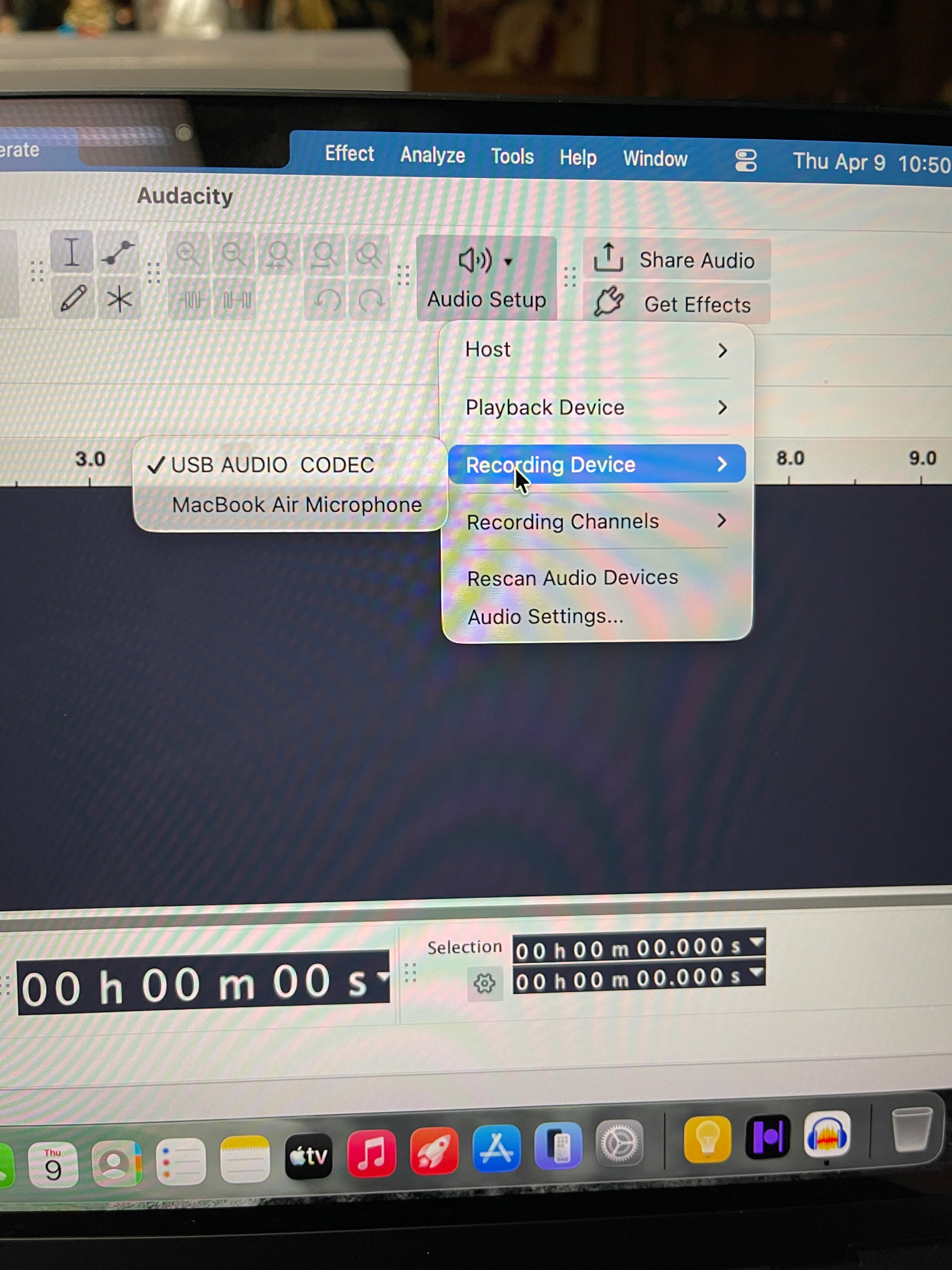
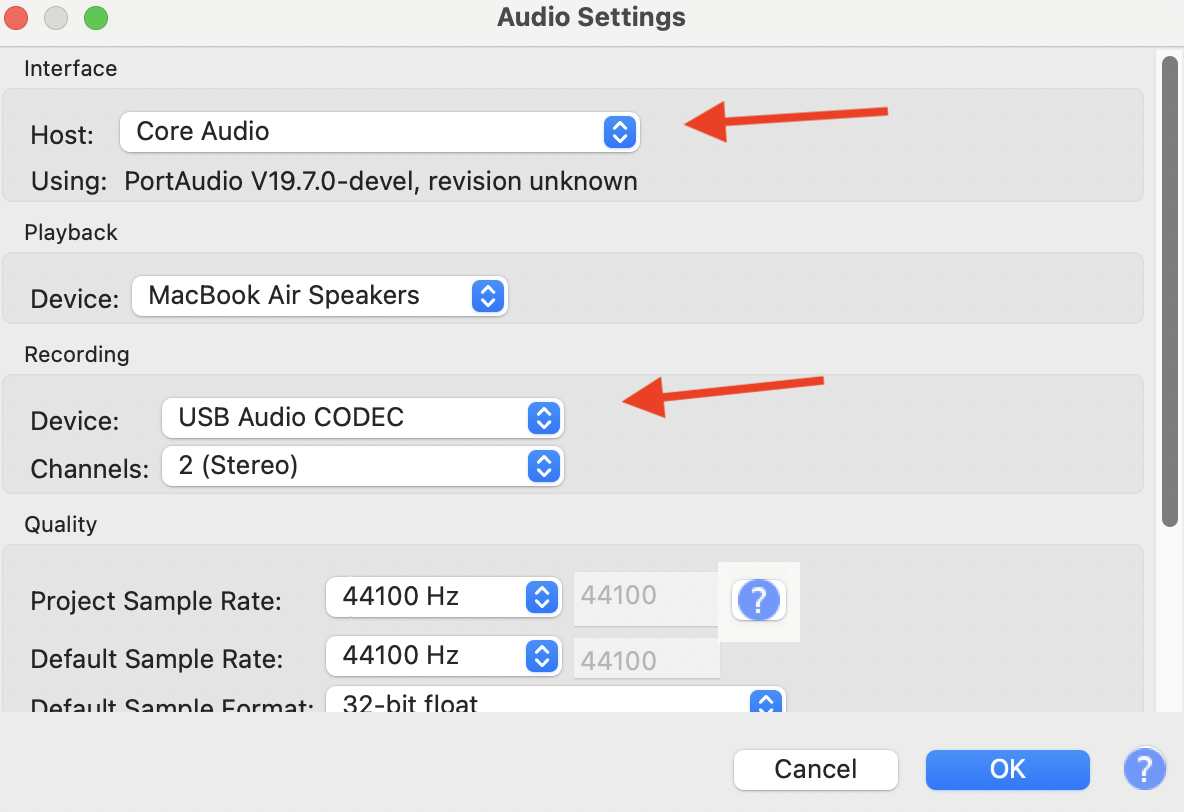
- What does Audacity’s Audio setup show for recording device selected?
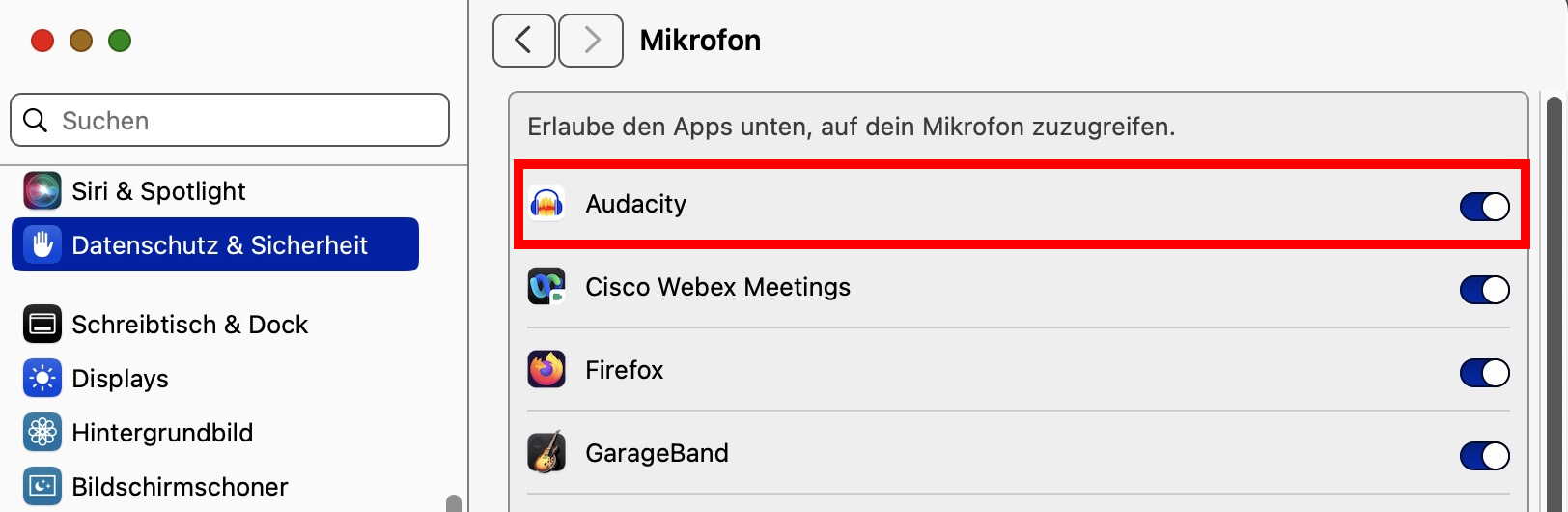
System settings → Privacy and Security → Microphone: Audacity must have access.
Continuing the discussion from Help Cant Record Sound:
The turntable is connected via USB CABLE to computer
The turn table is set to Line , not phono
Thanks for trying to help me, hope my replies give you what you are looking for
Ian … Buffalokid
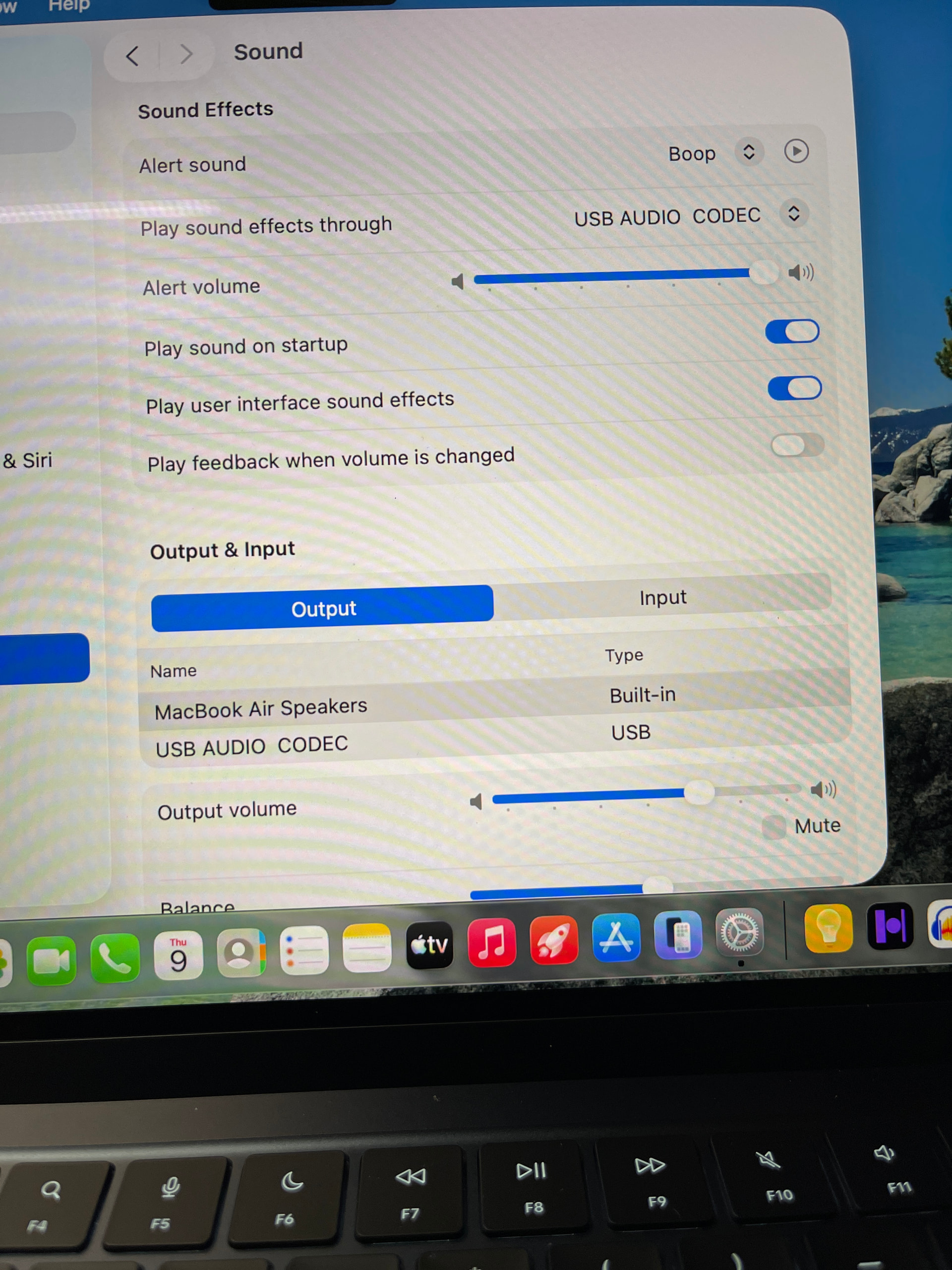
USB AUDIO CODEC is your turntable. You want to play “sound effects” to the turntable? Although I don’t think it has any influence about your sound input, it is a weird setting…
Did you look at your system settings, as shown in my previous message?
You did not write if (or how) you solved your problem, but the forum software says that you have set it to “solved” - please explain.
Here’s what my MacBook (running Tahoe 26.4) shows in System settings, Sound, Input, to record audio from my USB/analog connection adapter.
Notice when you play the external audio, you can see the input level bar (above) showing the incoming audio.
And, Audacity’s Audio setup, Audio settings, shows this:
External analog audio records fine onto Audacity with these settings.
Everything is exactly as shown in your examples
I hope I can come back and look for you if I have trouble?
Ian
Just export the file(s) as .mp3 (or any other format preferred by you), complete the ID3-tags [*] for each song (file) and drag these to the folder named “automatically add to iTunes” (or similar).
Of course you can come back. If you have a new question, you should open a new discussion. Also note that the forum software closes a discussion after a month.
[*] some ID3 tags can be written by Audacity - but some behave unpredictably. I would just stick with song title, album name and artist. For all others, I recommend mp3tag
[**] are you using an older operating system, which includes iTunes? Music.app replaces iTunes since macOS 10.15 Catalina (2019). But the procedure is the same…
Just remember that with this setting you may not be adhering to the RIAA curve on playback which boosts the bass and reduces the treble about 20 dB, which a phono preamp does.
If that’s the case, apply the RIAA curve to the file with Audacity. Find it under, Effect > EQ and Filters > Filter Curve EQ (or Graphic EQ) > Presets and settings > Factory presets > RIAA (Geez, can they hide it any further!  ).
).
@packzap I think you are confusing something…
A turntable with switch line/phono and switch set to “line” connects to the line input of a music system - which means that the RIAA pre-amp in the turntable is active. If the switch is set to “phono”, you need to connect to a “phono” connector of your music system which then has a built-in pre-amp.
I can’t say whether the switch influences what comes out of the USB connection. Maybe it is described in the turntable’s user manual.


 . Now to figure out how to change tone(base treble). And import to iTunes.