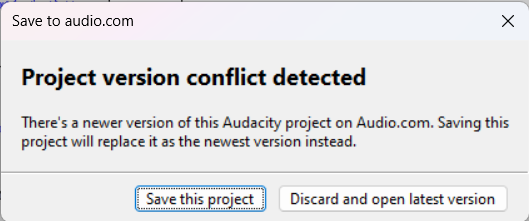
I am a new user to Audacity. I was trying to save my project to the cloud on Audio.com this worked beautifully the first time I used it. But every time since then when I have tried to save to the cloud I will get this error message. I have tried clicking on the ‘Save this project’ but the message will just pop up again. I then went into Audio.com and deleted what I had to hopefully reupload the newer version. However, the same message keeps popping up. I don’t know what I need to do differently.
I’ve been digging in the manual and there doesn’t seem to be straight-line instructions for saving, deleting, and recalling from audio.com. The instructions dive into sharing with others and generating automatic mixdowns. That’s too fancy. I need the simple guide
There’s this piece from the instructions.
Once you have linked your audio.com account to Audacity, simply enter the project name and hit Save. The project will now be uploaded in the background.
I need the “Philosophy Of Operation.” page. If syncing is a big deal, and the cloud is intended to be a backup, what happens if your computer goes Hindenburg? What happens to the “backup” on audio.com?
There is a scary possibility. What if your time/dates are out of sync and audio.com thinks you’re trying to post update to an newer version? It will not like that.
`
There is another Save Your Project note. Several times in the manual it admonishes you to not use external drives to save Projects. I would add: “While Audacity is Running.” I believe you can save Projects on your local drive, close Audacity, and then move Projects to wherever you want that you can do safely.
Similarly in reverse, put your Projects on your local drive and then open Audacity. Audacity hates watching non-local drives.
That’s my stupid joke of using any drive you want, you just can’t let Audacity catch you doing it. That still doesn’t resolve the audio.com dilemma, though.
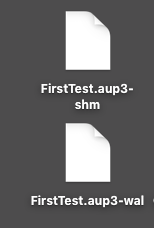
I wonder if this is a hint. When you save a Project and it’s still on the timeline, you don’t get an actual Project file, you get the Project Constituents.
Save your current Project to the local drive and close Audacity. Open Audacity and see if it lets you access audio.com. I’d be interested in how it reacts.
If everything seems normal—no messages—create a simple show (20 seconds of noise) and save it as a Project. See if it will let you save it to audio.com.
The goal is to figure out what audio.com is thinking about…