The switch on the back of the Snowball remains in position 1, right? Cardioid, NOT -10 dB, NOT omni.
The microphone got unplugged during the move and Audacity “forgot” about it. This is the built-in microphone.
Koz
Thank you again.
A third test is now on the drive. I put the microphone back to where it ought to be, confirmed Audacity is set to the Snowball which is still at position 1 and I also played your scratch test for it.
Cheers.
Edit - And a fourth test with the Audacity microphone level at 70%. The background noise seems almost to be gone now! 
What a relief. I have done my share of goofy things.
By the way, it’s useful to know the “Rescan Audio Devices” command in the Transport menu. If I plug in my mic while Audacity is running, that command lets Audacity find my mic, without restarting.
Thanks, Paul.
These are big “?” marks over my head.
You included my original scratch test in the “Ambient 3” clip. And yet. When scratch test left me, the third scratch, the “success” sound was massively overloaded and clipping. When I downloaded it from your server company, it was peaking roughly -18. Since audio goes half every 6dB, that means the clip, and your voice are one-eighth what they should be.
Is the server company doing something to your files?
Download Ambient 3 and see if it looks like it did when it left you.
Koz
Koz,
my files save directly to OneDrive from Audacity in my booth so that I may then edit them from my office (I still have the heat problem in the booth) so I don’t know how there can be any change made as that is the only location I hear the files from.
Well, yup, I’m at my wit’s end now.
I’ve added more samples as I re-arranged yet again. Eventually I even put the old mini-booth back atop a table next to me in case it really was dampening something but I kept the laptop on a separate table and it is now in front of me. I added more dampening (took some Auralex tiles from behind the curtain where they weren’t needed) so the corner I’m closest too has more than it had before. I also added a thick duvet underneath the table which holds the mini-booth.
So, the room has more dampening and is almost back to how it was.
The samples sound just fine now, no ambient noise whatsoever… until I hit the compression or normalise stage and then BAM, hideous sound again. I’ve tried various levels of microphone in the Audacity panel, I’ve gone into the device manager to double and triple check that other recording devices are disabled.
Really fed up now as I’ve lost yet another day of recording. How did the other (now four) titles make it through ACX without a hitch yet now my recordings sound awful? Arrrgh.
There are also pictures in there of the new arrangement as I may only add four here.
Thanks in advance to anybody who might offer any insight.
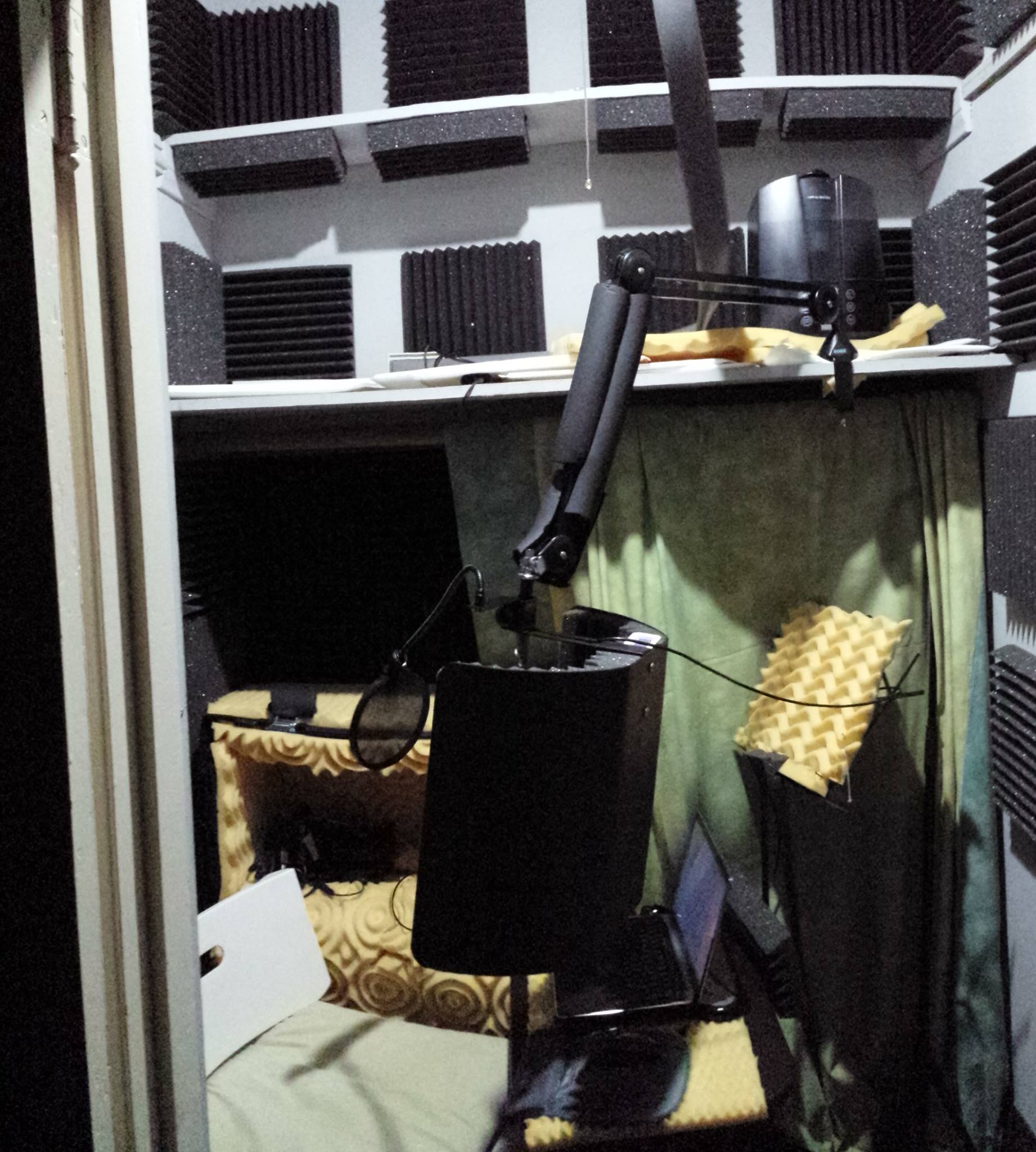
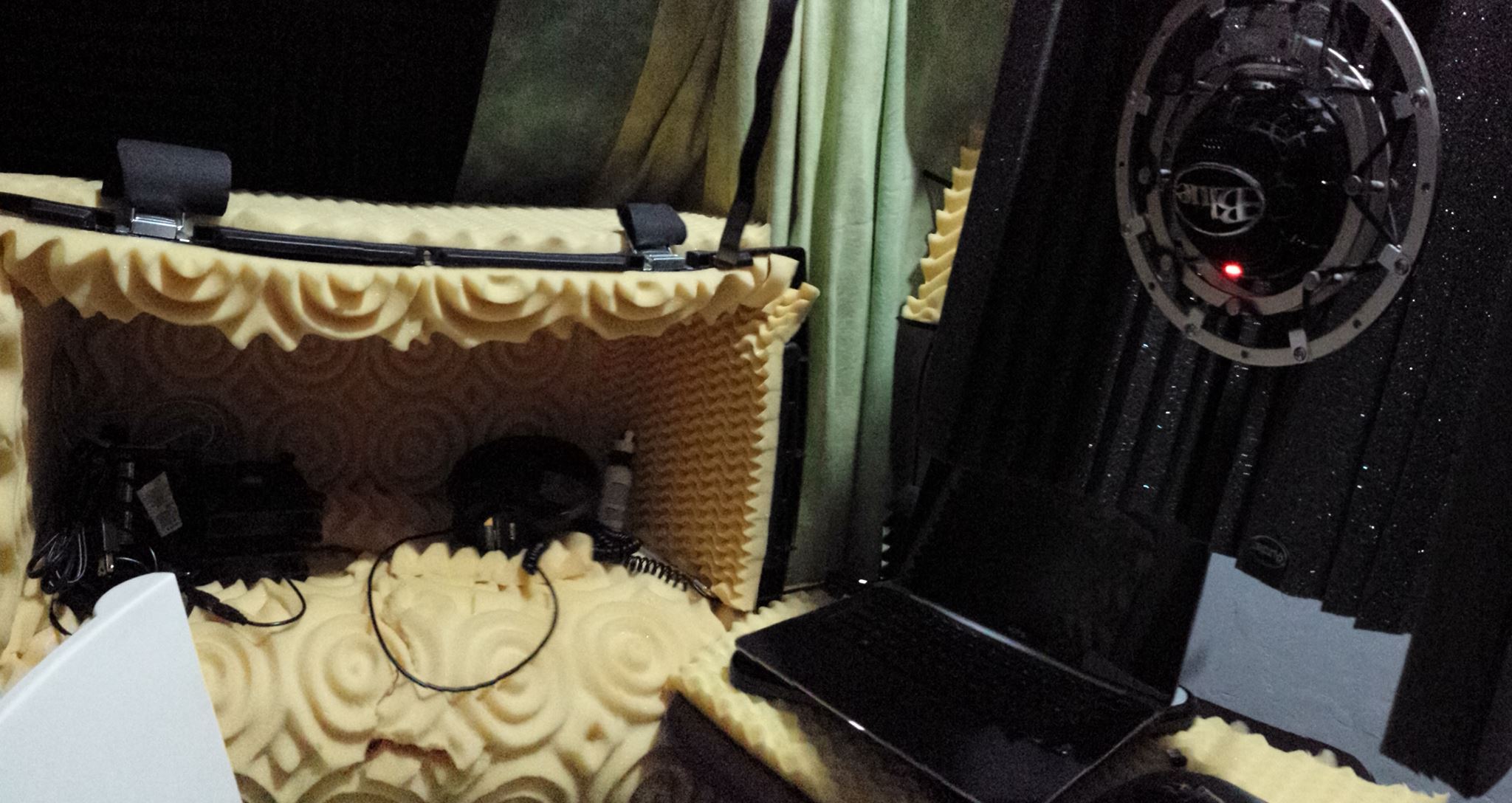
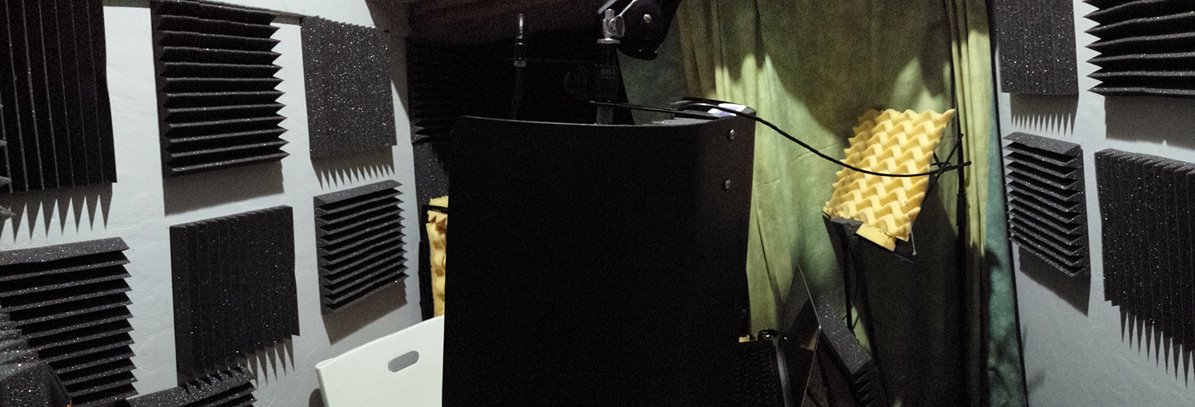
Hi Ian, welcome back.
Have you tried adjusting the noise floor setting of the compressor?
A higher threshold should counteract the compression in the quieter regions.
However, there’s no ratio or falloff slider for this expansion, thus I don’t know how strong it works.
I’ve not yet listened to the samples, sorry.
Robert
Thank you, Robert.
I have still kept an eye on the Audacity Facebook group, BTW.
As for the Compressor settings, I have the noise floor set to -55 with the thinking that I should have it close to but not actually at -60. Does that make sense.
So the full settings are:
Threshold: -8
Floor: -55
Ratio: 4:5:1
Attack: 0.2
Release: 1.0
Make up-gain for 0 db after compressing is checked.
Cheers.
Rms or peaks? The other checkbox?
Left at the default, unchecked, Paul.
These were all taught to me over the course of this thread and the step before compression has us seek out any vastly different peaks or troughs so I imagine that is why I’ve never been told to use that feature.
Cheers.
Good, unchecked is what I do too.
Have you tried higher noise floor?
I could explain in detail the nonobvious things that the checkbox and the noise floor settings do, or I can just suggest you try things.
Suffice to say if you think “noise floor” means “don’t amplify what’s quieter than this,” sorry that’s not what it means if you also have make-up gain. So set that slider higher than what you want the real resulting noise floor to be.
If you have make-up gain, what is the most by which anything (including noise) may get amplified?
I believe the answer is: take threshold, divide by ratio; the difference between that number and threshold is it.
So you use -8 and 4.5:1. This works out to a 6.2 dB gain.
Are you observing more amplification of noise than that? Then maybe my theory is wrong and I need to study the code again.
I don’t think Audacity’s compressor does anything that could properly be called “expansion.”
I have observed (and I can also explain why) the compressor might take two pauses, at the same RMS level below the “noise floor” setting, and amplify them differently. A pause immediately after a loud sound amplifies less. But each pause is amplified uniformly through its own duration – not by a continuously varying amount. The “noise floor” treatment in the code really has the effect of imposing that uniformity within a pause.
I can’t access the sample files. I’m always landing on the sign-up site.
Do you hear the hideous noise in the compressor preview? Try raising the noise floor threshold (towards 0), does it help?
The Limiter hasn’t this noise floor setting, so the noise will be amplified by another few dB.
The -8 dB threshold is probably to high, the dynamic range isn’t much compressed with this setting because not enough audio is above this Rms threshold.
You can check out how much with this snippet in the Nyquist prompt:
(setf threshold -8)
(setf rms (rms s 100))
(psetq rlen (1- (snd-length rms ny:all)) rsr (snd-srate rms))

(defun above ()
  (snd-length
    (snd-inverse
      (integrate
        (snd-oneshot rms (db-to-linear threshold) (/ 1.0 rsr))) 0 rsr) ny:all))
;;
(setf above (float (above)))
(format nil  "~a % Audio is above the threshold of ~a dB.n (~a/~a Rms-samples)n"
        (* 100 (/  above rlen)) threshold above rlen)
I guess that it won’t be more than one percent, right?
Do the same for the noise floor (replace -8 in the first line with -55) and subtract the result from 100. Again, there’s not much affected by the noise floor setting–less than 5 percent?
Paul says that there is no expansion below the NF threshold (although ignoring make-up gain is also a kind of expansion) and this would indicate that an additional noise gate stage is necessary.
However, it won’t help if the noise is also prominent during speech.
Robert
Oh wait that’s not always right, I was assuming normalization to 0 dB before compression.
I don’t understand that. The effect of make-up gain is just a uniform amplification applied to everything as a final step. It doesn’t really add anything to Compressor that you could not do with other effects.
Oooooooh.
I think I slowly get what’s going on.
You’re posting the after-processing client delivery clips. Those are miles away from where they’re supposed to be.
Post a raw capture. Talk, Export, Post. No processing, no effects and no filters. I suspect those are going to be studio perfect and we just have to figure out where your processing has gone wonky. Put your microphone back where it was during all the earlier successful performances.
In case I wasn’t clear about that scratch test, what you are intended to is scratch your own microphones to make sure you’re recording from the one you think you are. Obviously from the clip, when you hit the active one, the scratching is explosively louder than the others.
I’m recording from my Snowball!!! Oh, wait. Maybe I’m not. 
Never blow into a microphone. That will get your arm broken on a sound set.
Koz
I see, it is pretty useless as it is.
I guess it is only needed because of the look ahead.
Without look ahead, the values under the compression threshold would be ignored in any case.
I would have expected that all beneath the noise floor threshold would keep the original level–make-up gain included.
This would mean that the audio between the two thresholds had to be expanded naturally, since the audio under the NFT would be decreased by the gain difference.
Sorry for a bit of a thread-jack, Ian, but I must explain to Robert…
You might guess noise floor means that, but it does not.
The compressor works by defining an envelope, using lookahead. The attack and release times determine the maximum rising and falling slopes. Then gain is computed as a function of the envelope. Higher envelope, lower gain. The envelope flattens when it meets the threshold.
BUT – the noise floor setting can cause the envelope to flatten at a higher level. That is because the envelope has risen to follow a peak, then it is falling, and it is constrained to fall only so fast because of release time. If the sound drops below the noise floor, then the envelope flattens wherever it is, which might be above threshold, until the sound is above noise floor; only then can the envelope continue to fall.
So the consequence is that the gain does not change for the duration of the interval that is below noise floor.
As I said, this has the consequence that within the pause there is no variable gain – which actually I find a desirable thing – but different pauses might be amplified differently. And it is not truly an expansion.
What does the manual say?
"Noise Floor: The compressor adjusts the gain on audio below this background level so as to prevent it being unduly amplified in processing. This is mainly useful when compressing speech, to prevent the gain increasing during pauses and so over-amplifying the background noise. "
http://manual.audacityteam.org/man/Compressor
I don’t think that exactly describes the code I read. As I said, what it really does is avoid varying amplification within a pause, which might give an undesirable “ocean wave” sound to the noise.