I’m trying to batch process some files with a simple macro which normalizes each file and then exports as WAV. I have verified that all my default audio settings are 44.1k and 32 bit float and no matter what I do, the files in macro-export always end up as 16 bit. There seems to be no way of getting anything other than that.
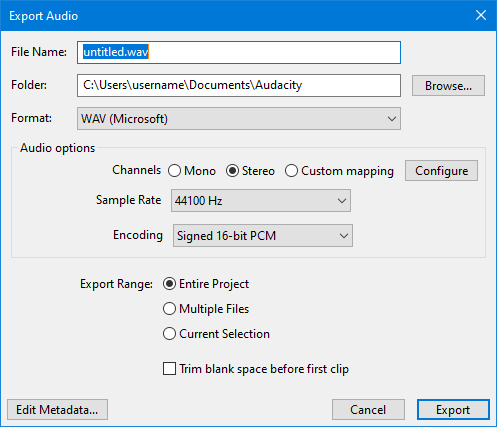
Try setting encoding to 32-bit in the Export dialogue window …
I understand the desire to use the tools you are already familiar with, but if you are willing to explore something made for batch processing, investigate looping ffmpeg with the -af loudnorm parameter.
Yeah I had tried that, it doesn’t make a difference. Single manual exports do obey that setting, but then using the macro reverts back to 16 bit.
1 Like
Export scripting is under-developed. Audacity 4 will have a new system for these things, where you simply can use the actions from the UI. In the meantime, I’d also suggest using ffmpeg directly to batch convert stuff.
1 Like
Thanks, basically what I’m doing for now is exporting to FLAC, which works fine, and then just using a separate app to convert those to whatever WAV format I want. It’s annoying that there’s an extra step but not terrible.
I learned recently that saving to a FLAC file will not save 32-bit float data. It will be 24-bit signed data. To save audio in 32-bit float you will need to save it as a RF64 or W64 file.
1 Like
Oh, interesting, I did not know that! Thanks for the tip.
1 Like
This topic was automatically closed after 30 days. New replies are no longer allowed.