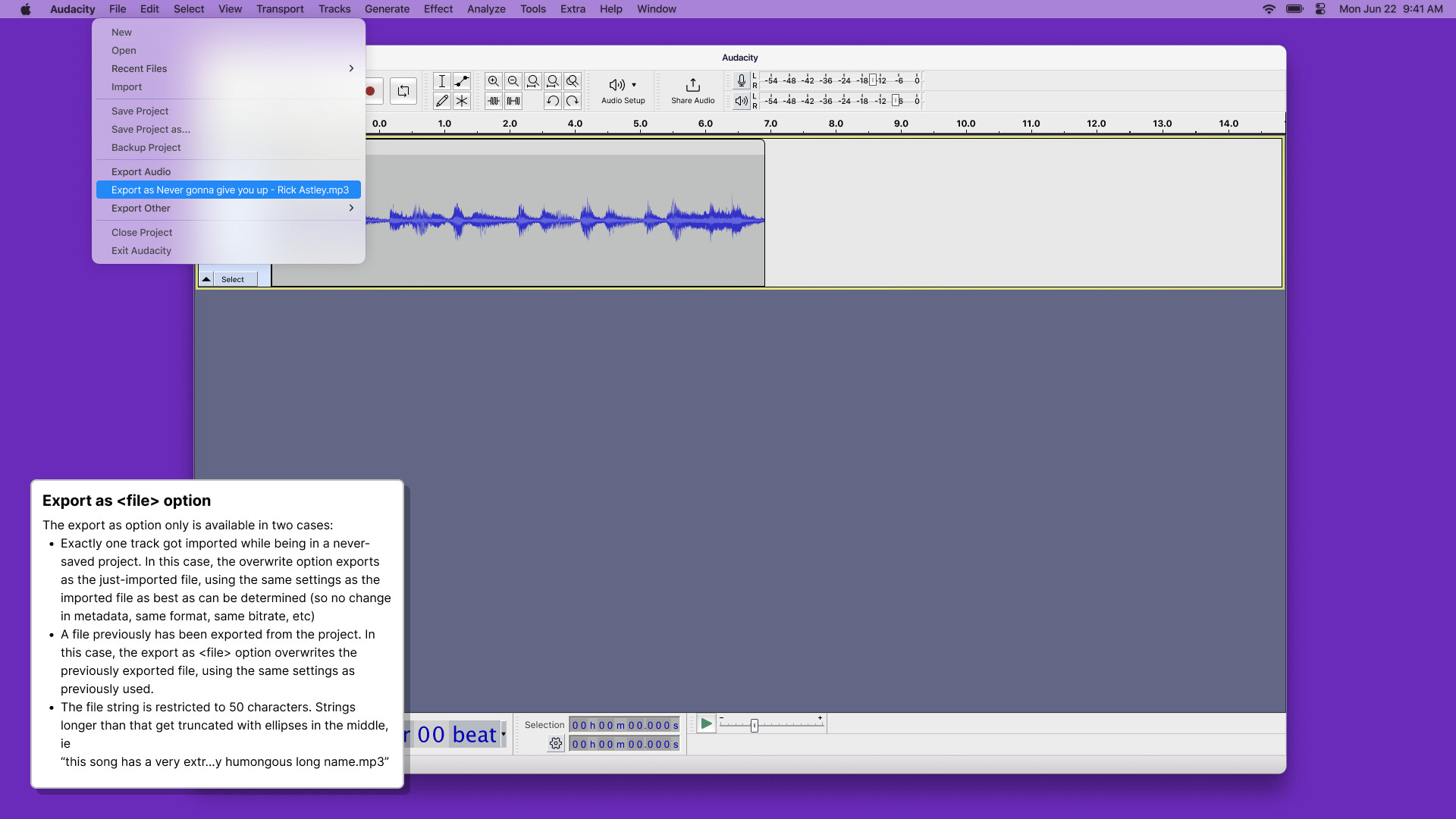
In the next version of Audacity it should (hopefully) be possible for Nyquist to see where the last imported file came from. It looks like it will be possible to provide the requested functionality via an optional plug-in. This avoids problems for novice users as they won’t have the (potentially risky) plug-in installed, while providing a keyboard shortcut to overwrite the imported file for people using DAWs.
@ dna598 , perhaps you would be interested in being a test pilot for this new feature?
To be fair, you never said which DAW you were using. Some DAWs handle this in a completely different way. I’m now guessing that you use Reaper, but please correct me if I’m wrong.
When installed and enabled, it will appear in the “Tools” menu as “Export Overwrite…”
It is designed to work with WAV files only.
There is one control to select the bit format of the exported file.
When run, the most recently used file is overwritten with the current audio selection.
The file overwrite is immediate, permanent, and without any cautionary warnings.
This version has minimal error checking, so be careful how you use it. I accept no responsibility for lost / overwritten work. ExportOverwrite.ny (2.15 KB)
I completely back this request!
It was an ANNOYANCE I encountered at very first use.
I had exported an MP3 under the impression it was at the original location.
It sent me through the roof not finding it there and having to track down where it was.
There is also no way of ADAPTING the export location!
I noticed there will be an update soon.
I hope it covers both aspects.
Hi Steve, you plug-in is amazing! Thank you very much. I really needed that feature, now I’m happy I tried it on windows 10, everything worked fine except the resulting (overwritten) file was empty (size = 1kb) (Audactity 3.0.2). A warning dialog could be also nice.
A suggestion from my side: I really like how Gimp solved this question. They just create a new menu entry in the File Menu which is called “Overwrite filename”. Even if one add more images (layers) to the project, the menu entry remains the same. To me it feels really logical. I really like it because it is really obvious, and also really quick. I use it a lot. Maybe this could be an idea for Audacity?
I’m one of the developer of SpinTool (a looping software similar to Live but open source and Linux only), and I’m really interested in this feature, because I’d like to add the ability too (external-)edit the loops with audacity. I think, this would be a really neat combo. But it only makes sense for SpinTool if this “overwrite imported file” is available.
So, since your plugin is now available, I’ll really think about adding this feature into SpinTool. Thank you so much!
It really has to be a one click operation just like save.
Ideally I would like to have the option to work directly on wave files without the database because I always make a duplicate in my DAW before even opening it externally if I know I want to save an unedited version.
Now I also get the problem that I open/edit long sessions files from a DAW and then I cant even export them because of some export file size limit . For both of these reasons I had to downgrade to audacity 2 again after briefly trying to work with 3 for a while today.
I too would really really really like this ability. It would simplify my workflow a lot.
I generally use Audacity as a single file editor for voice over editing or other types of audio.
In my workflow, I usually record, export, run it through some plugins in Rx to help minimize manual edits, import back into Audacity, perform manual edits, then export final product.
However, I am slowed down by having to always select the folder where I want to export my file to.
While navigating to a folder may seem like not a big deal, the reason I use Audacity over every other product is because it is simply that fastest out there to edit a single file (after I’ve customized keyboard shortcuts).
I agree that it would not make sense to have inheriting export directory from 1st file opened as default as some users may overwrite files accidentally. However, it should be an option if we so choose. Please let us use Audacity how we’d like to!
Note that earlier on, I had experimented with using Audacity as a single file editor for Reaper (which I use for multi-track audio or advanced SFX), but not having the option to export to the same folder makes it too slow to use Audacity this way.
I love Audacity – I am an Audacity evangelist and have also been wanting this feature for years!
This would be the single most significant enhancement to Audacity that I can think of - it would improve my workflow. The only thing I would add to this is that the format (mp3, wav, etc) should also default to the format of the file.
Given that Audacity already issues a warning if you are trying to over-write an existing file I don’t see where this poses any significant problems for novice users.
I agree with Steve. It is your responsibility to remember where you save stuff. Asking Audacity to do this is just asking for trouble. I suggest you get organized, decide where you are going to put stuff, then put it there, and look for it there when you want to retrieve it.
It’s almost a year old at this point. I’d certainly want to see that added, but unfortunately we don’t quite have the resources to make that happen at the moment.
I guess I’ll chime in here as well.
As someone who has used audacity since 2009, Versions 1.3.1 Beta and beyond at least or thereabouts, the ability to save audio tracks in their own location has been an invaluable tool for me.
As someone who does remixes, clears up custom recordings and generally uses audacity more like a hybrid digital audio work station and multi-track editor combined, I don’t want the feature of a custom save location to go away.
Unlike editors like Gold Wave, I firmly believe Audacity is more of a multi-track editor than it is a multi-file editor.
It takes two seconds to save something. And before Version 3.5.0, it was actually easier to save projects without the inclusion of a cloud server than it is now. But never the less, I probably am among the first to suggest that we keep the option in Audacity, to save to another folder and be able to select a default static location to save exports to.
I would not be opposed to a setting from within audacity, to switch to a dynamically updated location for a default area to save files in. But please keep the static option as a user selectable preference.
Thank you.
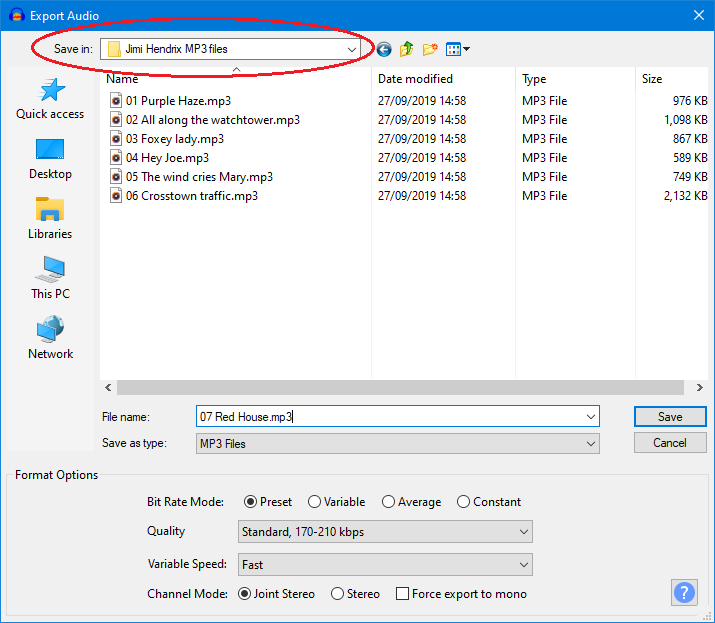
 I tried it on windows 10, everything worked fine except the resulting (overwritten) file was empty (size = 1kb) (Audactity 3.0.2). A warning dialog could be also nice.