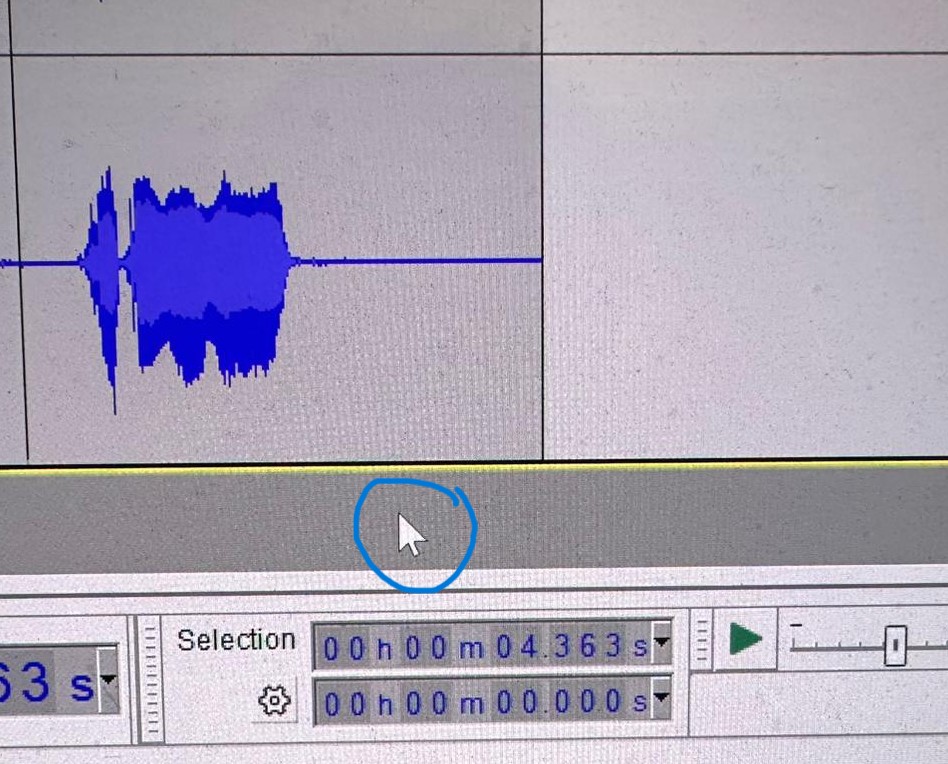
When hovering over tracks, it is very difficult to see the cursor, but it appears perfectly normally when hovering over other areas of the screen. I have tried different coloured cursors but it makes no difference as the cursor almost disappears when placed over a track. Can this be fixed please?

Go to Edit → Preferences → Interface → Theme: try Dark or High Contrast.
Also, on Windows, go to Settings → Mouse → Additional mouse options (opens the Mouse Properties), click the Pointers tab, and under Scheme choose Windows Inverted.
Dark sounds counterintuitive, but there should be a white outline around the black cursor (looks that way on your screenshot, and that’s how it is on mine), so it actually stands out a lot on a darker background. Plus, the screen putting off less light is easier on the eyes, and you’re monitor’s lifespan will be a little longer.
High contrast mode will definitely solve your problem, but it’s a little crazy for my taste.
Thanks Joe, but this would appear to be an Audacity problem. The cursor looks fine until I move it up onto the audio track, then it almost disappears. The alternative display options in Audacity definitely help, but I don’t think I want to change the basic look of the programme really.
This topic was automatically closed after 30 days. New replies are no longer allowed.