Hello Audacity friends.
I’m a complete beginner when it comes to audio editing, so I sat down and viewed all the videos in Audacity Explained – wow, LOTS of information and some new terms for me to learn (really well explained, though I am somewhat mind-boggled).
I haven’t found the instruction I need, so I am hoping you can point me in the right direction, please.
My Project: to convert an audio program from 6 audio cassettes to MP3, on my PC, still running Windows 10
I have converted the tapes to digital format and I have 12 files (one of each side of 6 cassettes).
My original intention was to trim these and make something like an album with 12 tracks – hmm, ‘tracks’ is possibly ambiguous in this context – this would be 12 individual audio recordings with one sound source, so only the one ‘audio track’ in each. Like an album with 12 songs, no mixing needed.
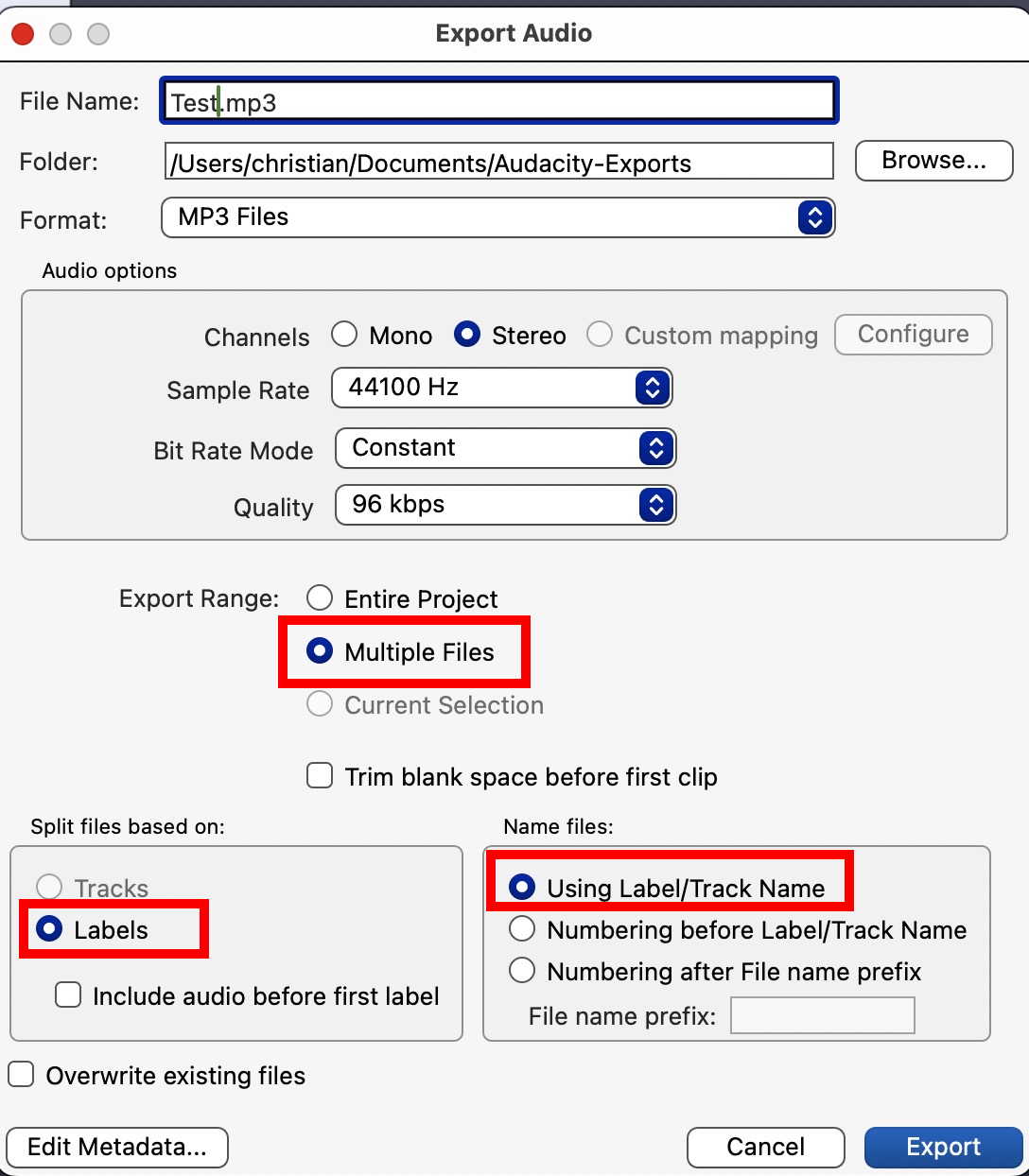
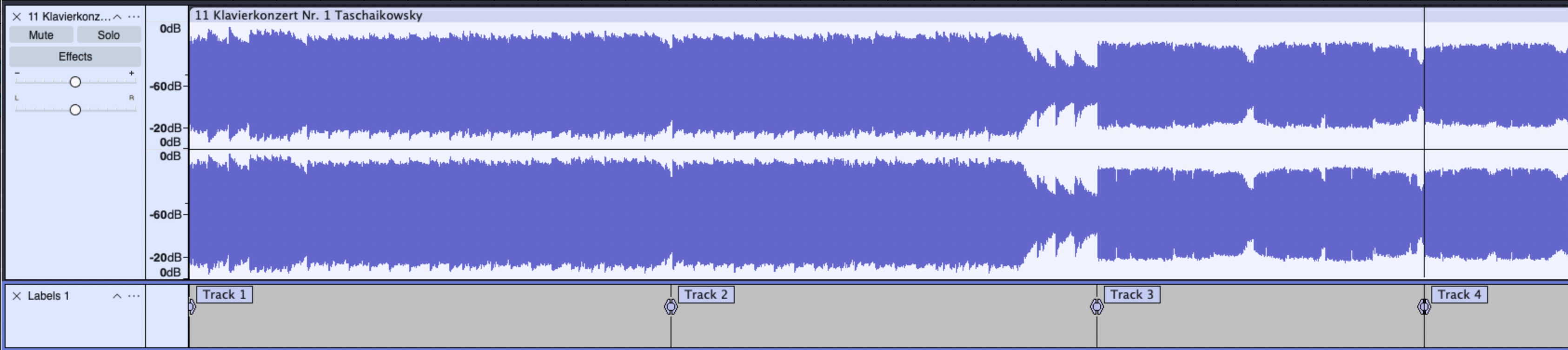
How to do this was something I couldn’t find in the videos or manual, so I asked Google. All the advice I found assumed recording an album of music songs as a single track and flagging the start of each song with a label and exporting that as multiple files, separated into tracks where the labels were (labels becoming titles).
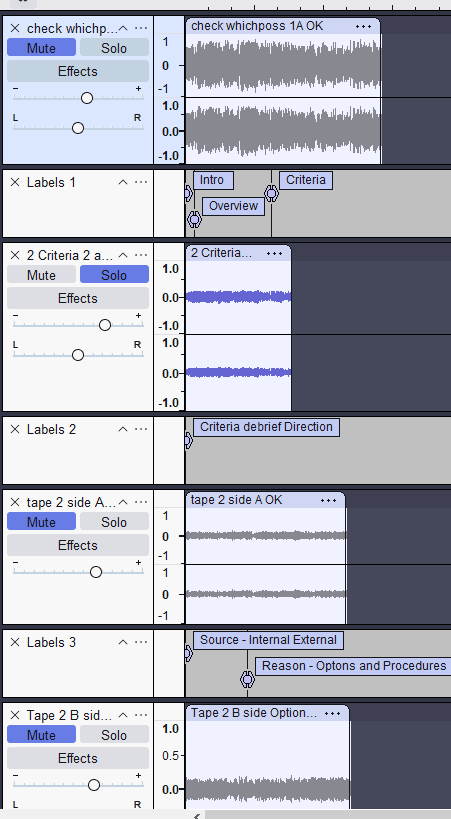
I might have misunderstood the best way to do this – I probably should have joined all the clips together, instead I dragged them in to make separate, parallel audio tracks in my project (so they all appear in the same Audacity screen). I trimmed start and end of each track and then thought I could make the material more accessible by breaking into tracks in line with the key learning points, so I would have 2 or 3 tracks from each side of the cassettes. I could then align these end to end and export as a whole.
Except, I couldn’t align the labels with the audio tracks to give me my new track breaks, So, I have 12 tracks with matching label tracks, currently all in parallel, where I need them in sequence. I have two questions, please:
-
What should I have done to make a single ‘album’? ( have a few programs on cassette and no player, so I’d like to put them into MP3 format and ideally do it right first time, so this is something I will need to do again!)
-
What should I do now, either with what I have, or do I need to go back to source and follow your advice from 1) above?
If this has already been covered somewhere, please do point me in the right direction – otherwise, maybe that’s another video clip?
Mank thanks for your help
Jill
 The sticking point seems to be the labels then. One idea might be to join the audio and re-do the labels maybe. Can you elaborate on what your eventual usage will be? Will you play them on the PC, write them to CD…?