I know this is probably a dumb request, but I just updated from 3.3.3 to the most recent version and the export window now has that extra step/box. So instead of directly opening the folder where I can see what’s already in there and label accordingly, I have to click over to get that to open. It’s not that it’s “extra effort”, it’s just easier/quicker for me to look at whats in the folder and move from there.
Is there a way to have it just open the export folder directly?
I often reduce four or five tracks down to two channels (especially when exporting to an MP3 file) and this extra step reminds me that I have to reassign those tracks to channels. So it is good for some people.
I think the OP is talking about the “Browse” button you need to click to choose the folder you’re going to export your project into.
My guess is that integrating the “export multiple” (export range) and “file type specifications” (audio options) into one dialog meant that there was no room for the “file finder” list.
So the short answer is: No, you can’t get the old export dialog back.
That is what I was asking, thank you
Yeah, I never said it wasn’t good over all. I was asking if I, myself, can change it back because it doesn’t work for me.
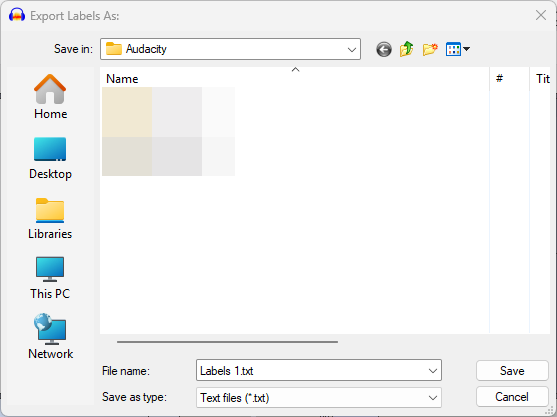
It’s unfortunately a technical limitation: If Audacity takes the modifiable file browser so it can add all of the format options for the codecs, the file browser on windows becomes this version which lacks search, bookmarks, the ability to paste a path and such. It’s the one still used by the label exporter:
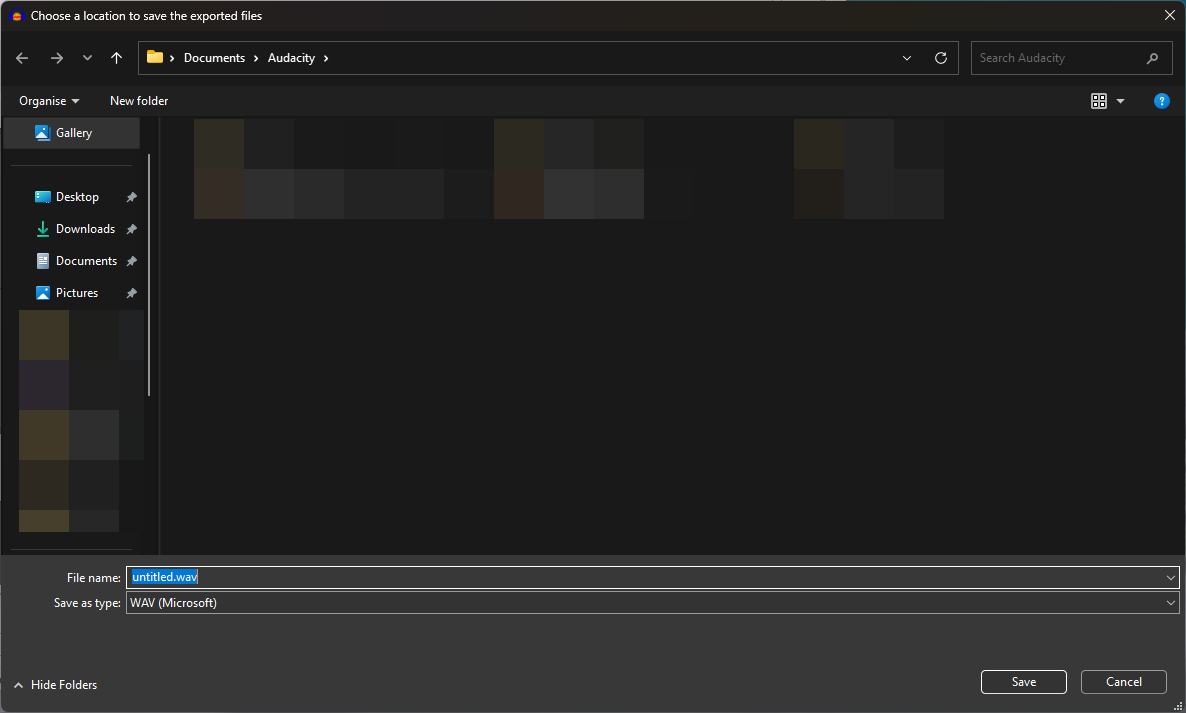
If Audacity moves all of the options into its own dialog, it then is able to use the standard Explorer:
If there was a practical way to get them all into one window, I’d have done it. But alas, this is the compromise we had to make.
To atone for my sins, I shall try getting a one-click export into Audacity 4, so you can overwrite the file you just imported without having to open any window at all.
Thanks, Leo, for the clarification.
I’m on Mac, and the Audacity 3.3.3 export dialog does have the Format Options panel along with the full Mac file browser and sidebar. So is this a strictly a Windows limitation, or does the addition of the Export Range panel also break the Mac file-save dialog?
I think this particular issue is a windows-only problem, yes.