I’m new-ish to Audacity so apologies for any novice questions.
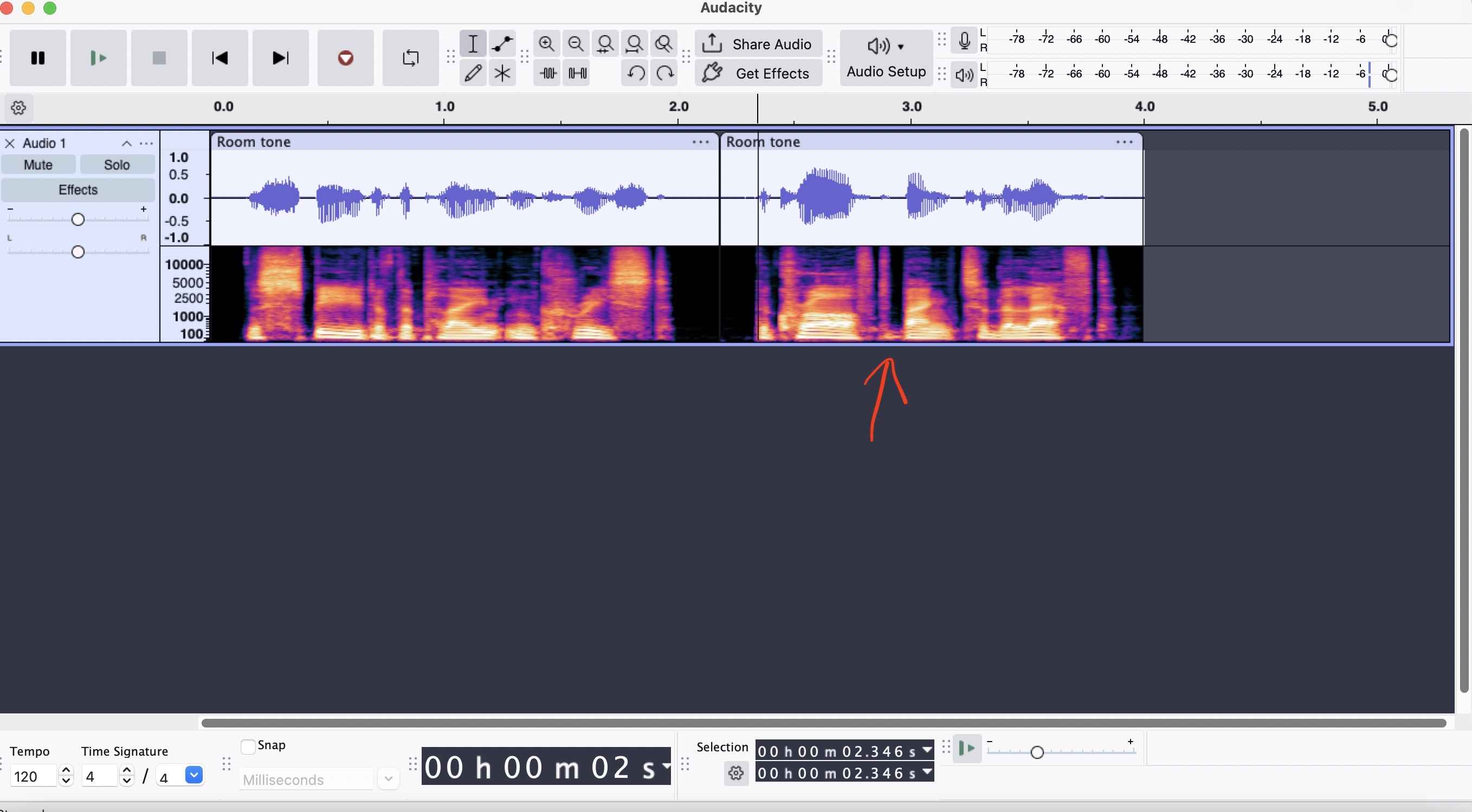
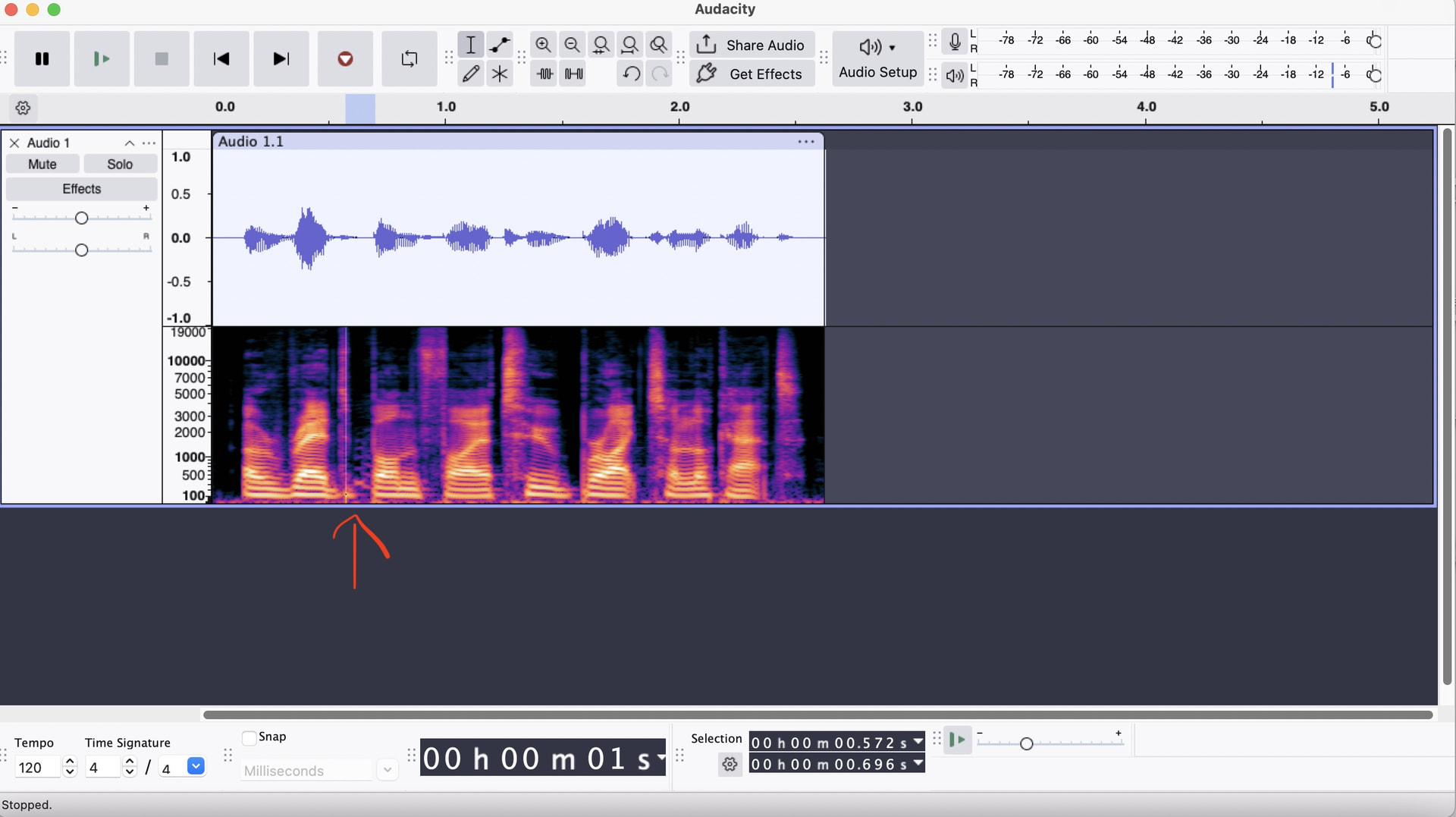
Long story short I’ve been recording my first audiobook from home, I’m now editing it, which has been going fairly well so far, BUT one issue I’ve encountered is I keep hearing these squeaky sounds during some of the dialogue. (sounds like a rubber boot squeak or something see examples below).
I think the sounds are coming from me and are just some odd mouth sounds (from my soft pallet area) but my main concern at the moment is how to get rid of them on the audio file. They are easier to see in Spectogram View. They often appear towards the bottom as a bright yellow dot/line in which case I can often just delete that section and get rid of it but sometimes that’s not possible or makes the whole section sound wrong.
Basically I’d be very grateful if anyone has a better way of getting rid of these or even better Automanising the process to a degree. I have the Paul L’s De-clicker add on and the Accusonus era6 bundle if that helps anything? At this stage happy to pay for some add on if it will fix this issue.
Here’s some unedited audio (it’s a different clip sorry about that but has a similar sound. There are multiple instances of similar sounds in all the pre enhanced audio. Weirdly I couldn’t hear anything while recording and I took some room tone of my recording space and it didn’t feature the sound.
It be great to know 100% what’s causing it but my main concern at the moment is figuring out the best way to edit it out. sometimes the spectral tools do the job but it can be a bit hit and miss.
It took me about a dozen plays until I heard it. I noticed it in the unedited clip first, and only after knowing what to listen for could I hear it at all in the first clip. I think you nailed it: it sounds like “some odd mouth sounds”. I’ve heard similar from other voices before.
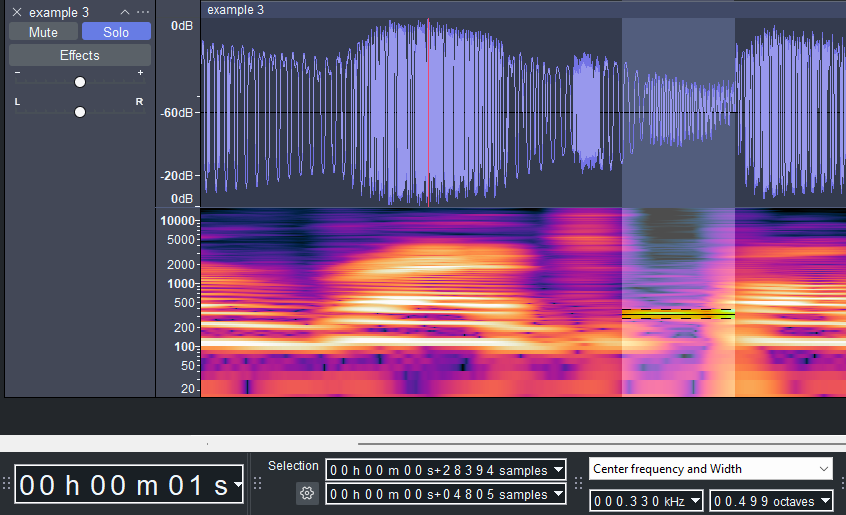
Working with “example 3.mp3” a little, I found that using spectral selection, locking on to its fundamental at 330hz, and applying Spectral Edit Multitool (in this case that would function as a notch filter) removed it cleanly. But I doubt it will be consistent enough to be repeatable. If it is repeatable, a macro could be created to select the appropriate frequency and apply the effect, all from a keyboard shortcut. But in my experience, there is usually too much variability in sounds like that to have a one size fits all approach.
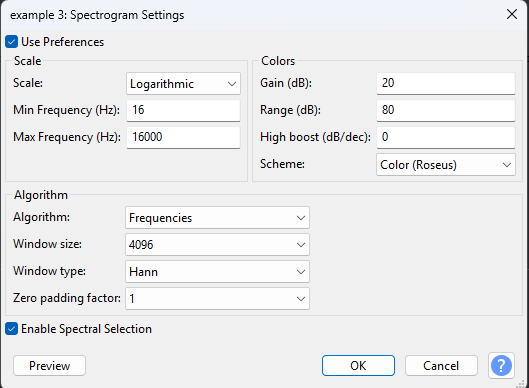
On a slightly different note, my preference is to have the spectrogram view match closer to human hearing range or slightly beyond. 100 hz isn’t low enough for me. I set mine to 16-16,000hz to see more into the lower frequencies we can hear, and less into the higher ones that are hard to hear. And I enable the spectral selection toolbar, set to center frequency and width usually as well.
Great, thanks for this, thats a lot of help. Yeah, in ideal world I’d create a macro but as you said I’m not sure this is a one size fits all approach unfortunately.