installed audacity in kali-linux xfce x11 and tried to play an mp3 file and yet its playing but audio output ,Need help
Audacity is an audio editor, not a music player. It can play audio files, but it needs to make a project out of it. And if you make changes, you need to export a file. So just to play, you should use a program that was designed for that purpose.
This said, you need to set the output properly in the “audio configuration” setting of Audacity.
And, test whether your audio system in your computer is not broken.
You’re seeing a waveform, right?
The playback volume slider is “hidden” under the playback meters. Make sure it’s turned-up.
Are you seeing activity on the playback meters?
And make sure you’ve selected the correct Playback Device.
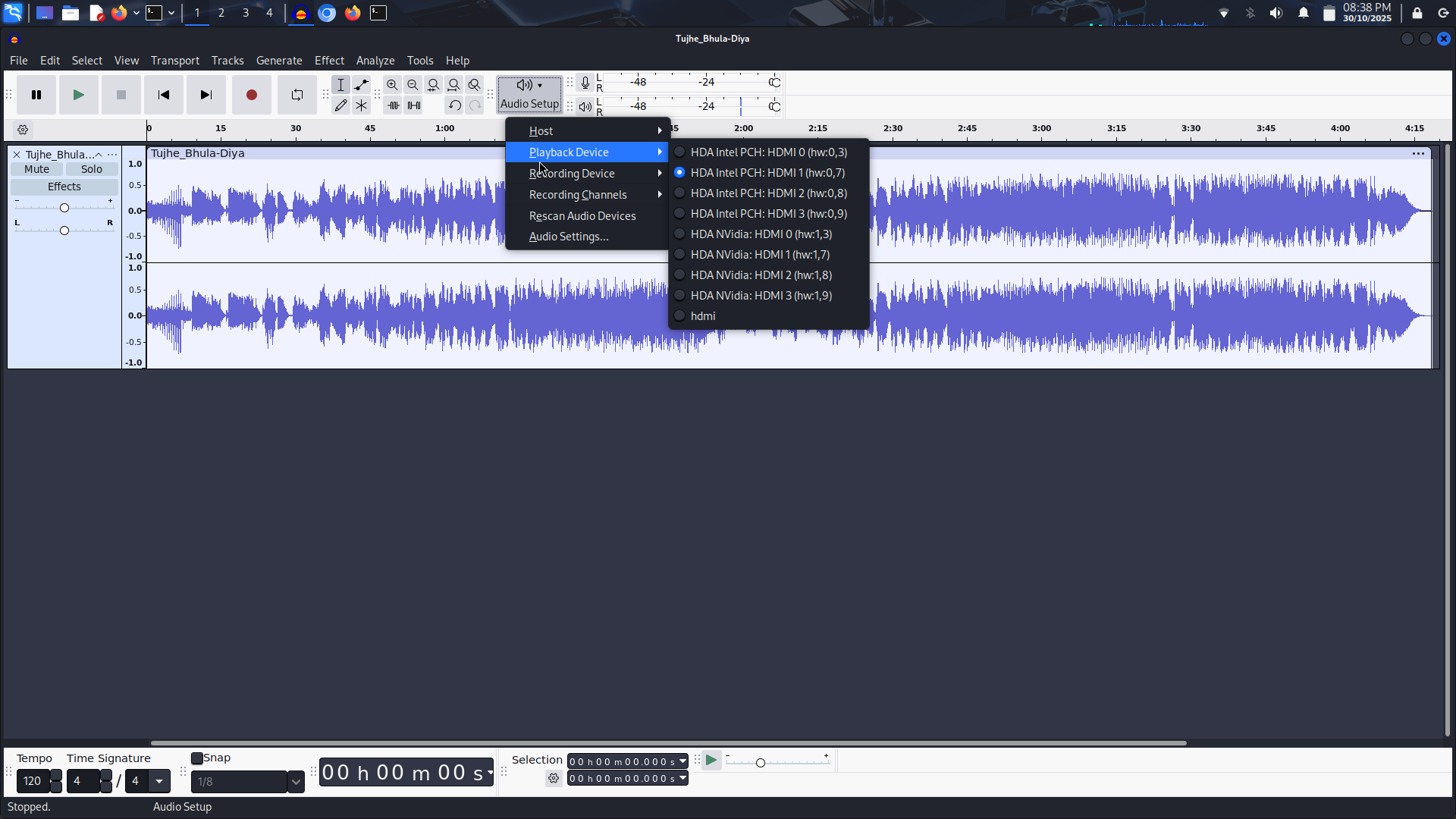
yeah the audio playback wavefrom is showing and its also palying but no sound output , on audio setup option host : is set to alsa and the playback device shows couple of devices (bit condfused so sanpped the pic here )
I’m a Windows guy, but…
It’s only showing HDMI. Are you trying to play through an AVR, or an HDMI display with speakers?
I assume you have something else like a regular soundcard/soundchip or a USB audio device, etc.?
is set to alsa
You MIGHT need PulseAudio or PipeWire but I don’t know what I’m talking about…  Hopefully one of the Linux guys can help, or maybe there’s a Linux audio forum, where they probably know about Audacity.
thnx buddy atleast you tried
This topic was automatically closed after 30 days. New replies are no longer allowed.