OK, this is going to take me like a week to straighten out. I haven’t done web housekeeping in forever. Dust and old hamburger wrappers everywhere.
https://www.kozco.com/audacity/Audiobook-Mastering-Macro.txt
This should give you a page of odd text that seems too long for the page. Drag-select it > Save As > Audiobook-Mastering-Macro.txt.
Install it in Audacity like this…
Tools > Macros > Import > Audiobook-Mastering-Macro.txt > Open
It should look something like this.
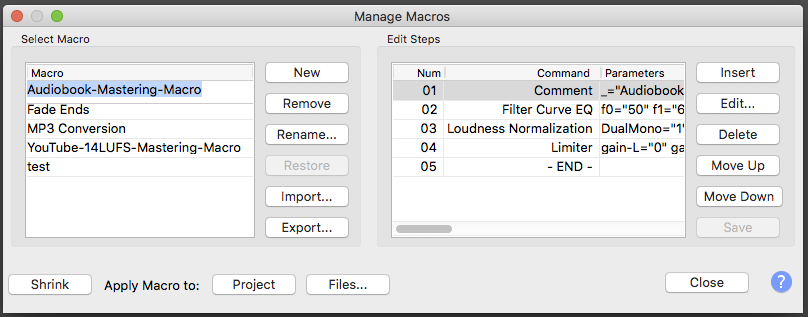
Close.
Open and Select your Chapter > Tools > Apply Macro > Audiobook Mastering Macro. There is no “Do It” button. It just happens. you should be able to see your chapter suddenly snap into compliance.
Apply ACX-Check and the chapter should be smack in the middle of submission specifications. No oddball peaks or wayward RMS values. Export a new MP3 and see if it will post OK. Post back here if it doesn’t. Be ready to quote error messages exactly.
This may also be a good place to do file management. Your Edit Master Archive should be a WAV file. You can do it with Audacity Projects if you want, those are perfect quality, but those can be brittle and easily damaged.
Never edit an MP3 file. Each time you edit and export a new MP3, its compression damage increases. Remember, there’s a limit to the quality of your MP3: 192 Constant. If you open and export the MP3, it’s not 192 any more. It’s lesser quality. Do all your changes and improvements to the WAV.
Koz