It’s pretty but,
There doesn’t appear to be a change tempo option in effects or on the interface.
AND you used to be able to change pitch on the fly with Alt Up Arrow and Down Arrow.
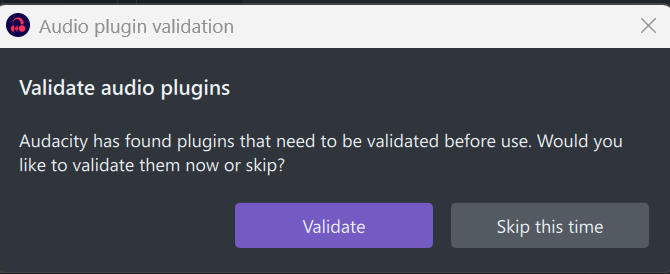
Another issue I’m having is every time I start Audacity 4, it comes up with…
Even though I go through the scan each time, it still pops up.
Still getting in to this version, but I’m hanging onto my 3.7.9 installation for now.
2 Likes
If you just want to change the tempo, just click onto the clip. Clocks appear left and right, drag those to change tempo. The effect itself did not make it into Audacity 4.0. I have however added both the effect and alt+up/down to change pitch to my web port of Audacity 4, Soundscaper.
I also came here wondering if I was missing something as I couldn’t find a Tempo Change effect (that I use very regularly in Audacity 3) anywhere.
I’ve clicked (left/right) all over clips and haven’t seen any ‘clocks’ appear?
I’m using Audacity 4.0.0 on Win 11
Same here. No clocks.
What I want to be able to do is input BPM numbers in order to match the tempos of 2 pieces. More control is necessary. The “sliding stretch” doesn’t cut it because the changes possible are input with percentages in increments of 1.
Once again, I am reverting back to 3.0
Another shortcoming for me is in “generate rhythm track”. There are times when I’ve needed to go slower than 30 BPM as an analysis tool. This is a limit in 3.0 and 4.0