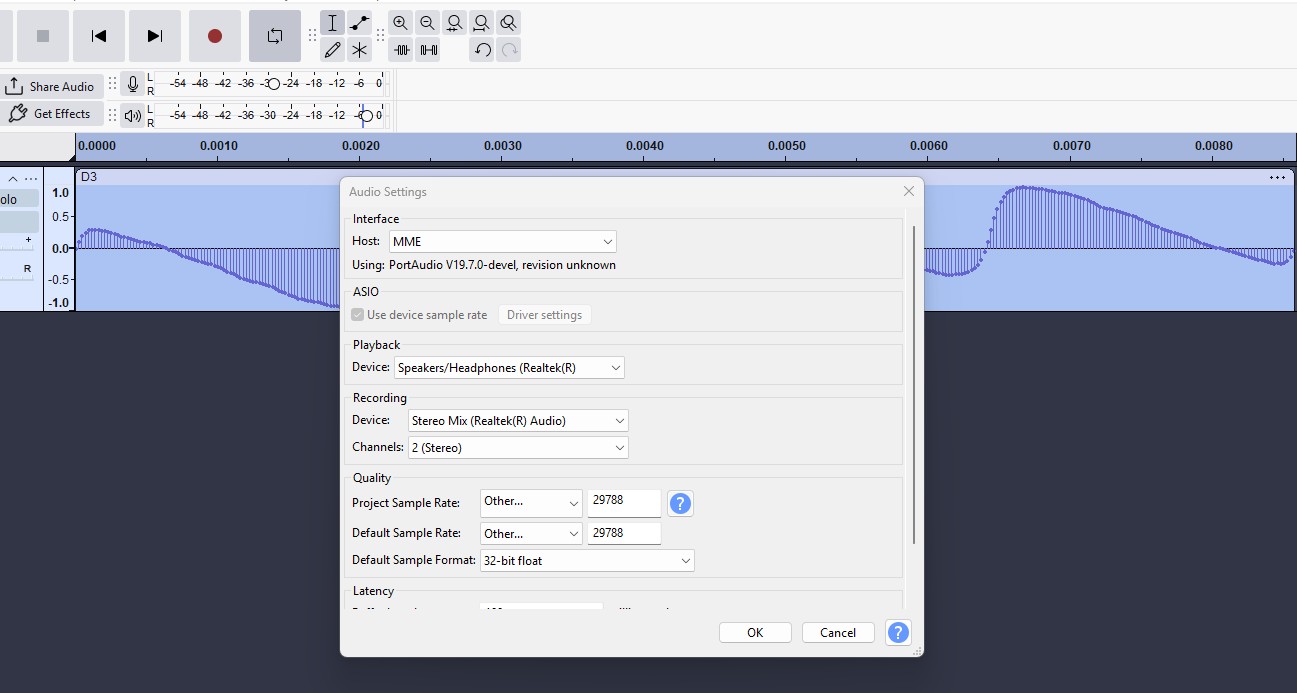
I have done this 100s of times before earlier version and it worked.
Audio sample, I want to extract 300 or 400 samples what I think is part waveform but I want to convert this same part to 256 samples. I normally copy the part waveform calculate a new sample rate and paste it into a new track at the new rate and it gives me exactly 256 samples and the waveform looks like before. I then extract the sample data to a text file, I get 256 samples OK but it is modified or looks like a truncated wave if I draw a line graph of it in excel. When I look at the header of the text file I see it ha rate of 44100 not the new rate that I had set in Audio setup and it tells me it has DC offset..?? I can see there is dc offset but the ends are both back at zero.
Maybe I did not make myself clear in the original post… I cannot get this method to work in the 3.7.9 version, or do I have to use resampling in some way instead…grateful for any help please
This is the header of the text file…
Sample Rate: 44100 Hz. Sample values on linear scale. 1 channel (mono).
Length processed: 256 samples, 0.00580 seconds.
Peak amplitude: 0.95128 (linear) -0.43386 dB. Unweighted RMS: -7.26268 dB.
DC offset: -0.10225 linear, -19.80677 dB.