I recently bought a refurbished Mac desktop Retina 4K, 21.5, 2017 to see if my recording process on audacity would run smoother, but I’m noticing the interface is a lot more jittery. Less frames per second is the best I can describe. It makes it difficult to pinpoint and edit tracks
You probably want to say the 64bit (not 64 Gigabyte) version of Audacity?
Audacity 3.6.4 runs fine here on an iMac 27" from 2015 with (only) 8 GB RAM. macOS Sonoma (14.8.4) with OCLP.
Your problem may be the macOS version, but since my (older than yours) Mac runs perfectly with Sonoma, I doubt that the macOS version itself is the problem. I rather think that the built-in HD is slowing down everything. That Mac came with a “Fusion drive”, which is a (very) small SSD (for mainly the OS itself) and a big HD for everything else. I am not sure whether it is possible to replace the SSD with one with more capacity. My 2015 iMac (BTO) has only a big SSD and no HD installed.
I had the operating system changed from the macOS to windows 11 because that particular Mac model can’t go above Ventura
It does run a lot better. But I’ve come across another area of concern and I wonder if you could help me, I might even create a new forum post, but in short….
In audio setup, you can choose the host: MME, windows direct, and WASAPI
I remember a while ago troubleshooting some issue I had with a mic or some device, and WASAPI was the way to go. I guess when I updated audacity it reverted back to MME on my older notebook, and I never noticed till now. So I did the same just now changing the macs audacity host from “MME” to “Windows WASAPI”
the trouble I’ve seemed to run into is, when selecting a playback device, I have 3 choices…
• Speakers (iRig USB)
• Speakers (Yeti Stereo Microphone)
• Speakers (Cirrus Logic CS8409 (AB 15))
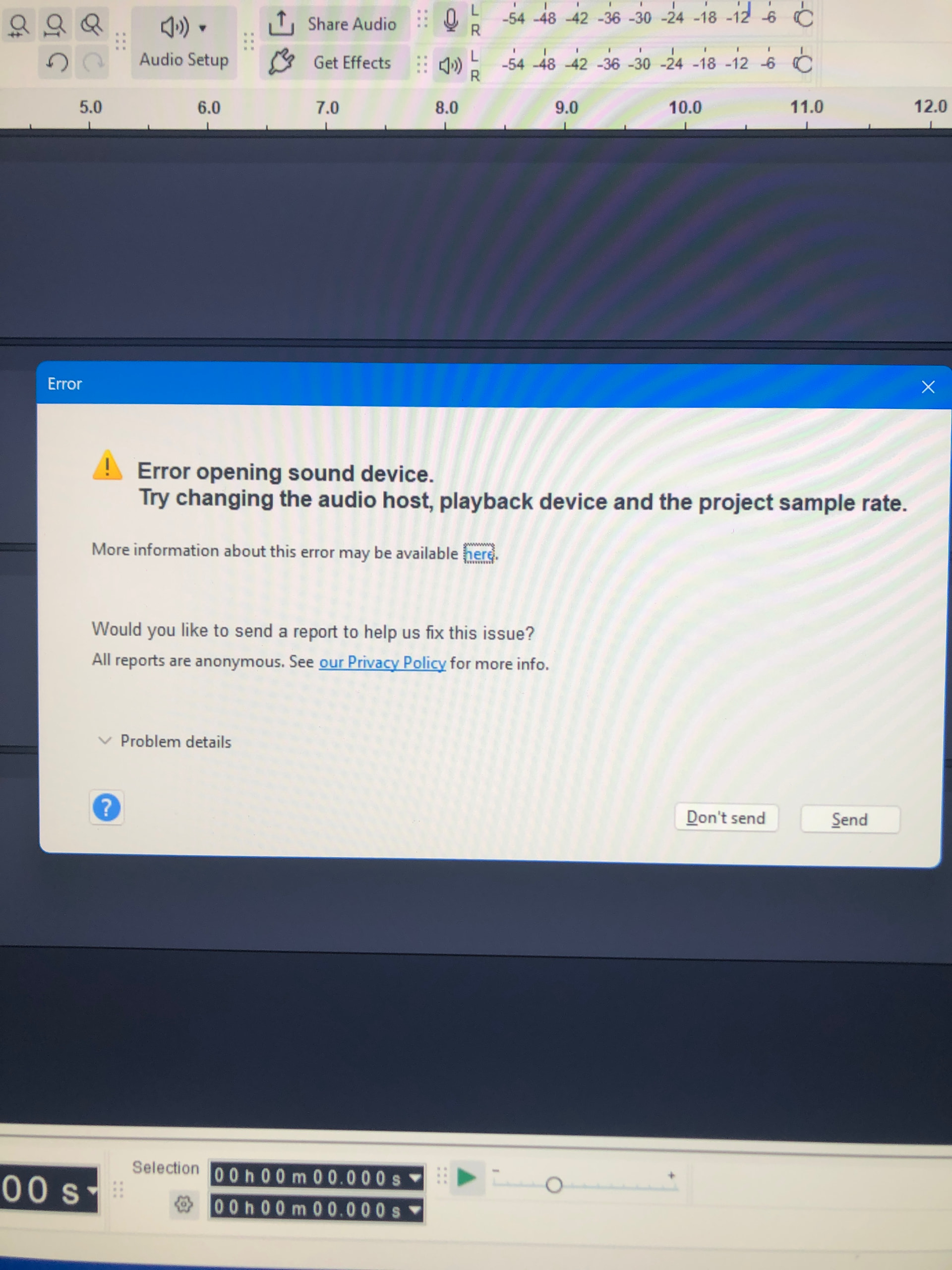
The first two options work in WASAPI. The 3rd one though does not. It works in MME, and windows direct sound. I get this error message when I try playback under WASAPI using the internal speakers