I have Installed/Reinstalled Audacy, FFMpeg several times. Also, I went in to preferences/libraries and set the location to the FFMpeg folder manually, and to no avail. Clearly, I am missing something very simple? Running Windows 10 x64 (Installed the x64 version of FFMpeg) Many thanks in advance.
When you said you set the location of ffmpeg manually, is it the location of the Audacity version of ffmpeg, or a general purpose version?
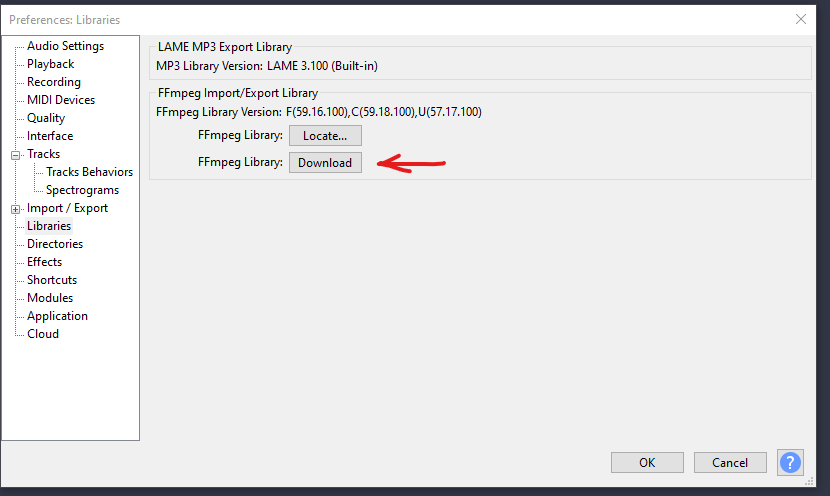
Going by a distant memory here. I think that after you download and install the Audacity version of ffmpeg, the install process sets the folder location for you and you don’t have to click the [Locate] button.
Maybe someone else here can confirm that?
Right it absolutely does but I said it to the location where I knew the mp3 drivers were just to be sure. Note, before I did the manual location of those files, audacity would still crash or error out when exporting to an MP3.
MP3 is built-into Audacity unless you are using a very old version.
FFmpeg is used for other formats. With older versions you had to install LAME for MP3.
One thing you can check is -
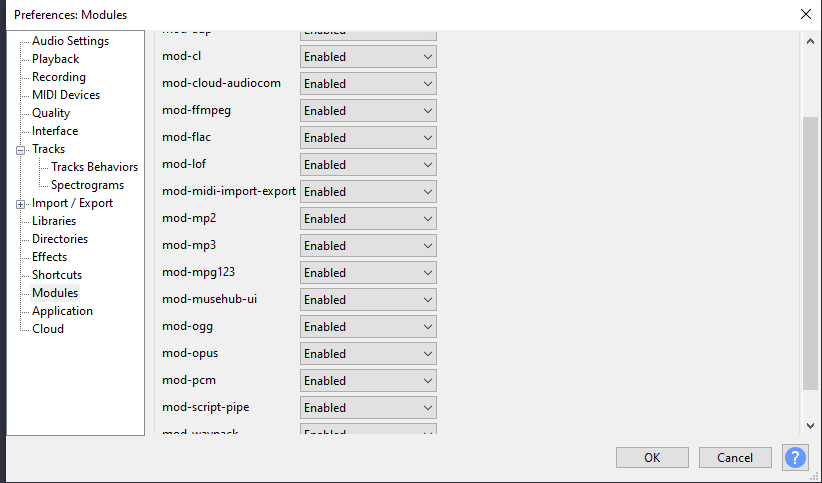
Go to Edit → Preferences → Modules and make sure mod-mp3 (and everything else) is enabled.
There are a few entries off the screen grab but everything is enabled. Note that all things related to this laptop are all working and in order. I don’t have high hopes I can use Audacity at this point.
You can try Ocenaudio (free) or GoldWave ($60 USD).
Or export as WAV and use a 3rd-party converter such as Kabuu Audio Converter (free) to make an MP3.
Well I ended up downloading the free app Better Audio Editor. Based on Audacity, and it actually converts a wav file to mp3 without any drama. That’s all I needed. Thanks for the help.
This topic was automatically closed after 30 days. New replies are no longer allowed.