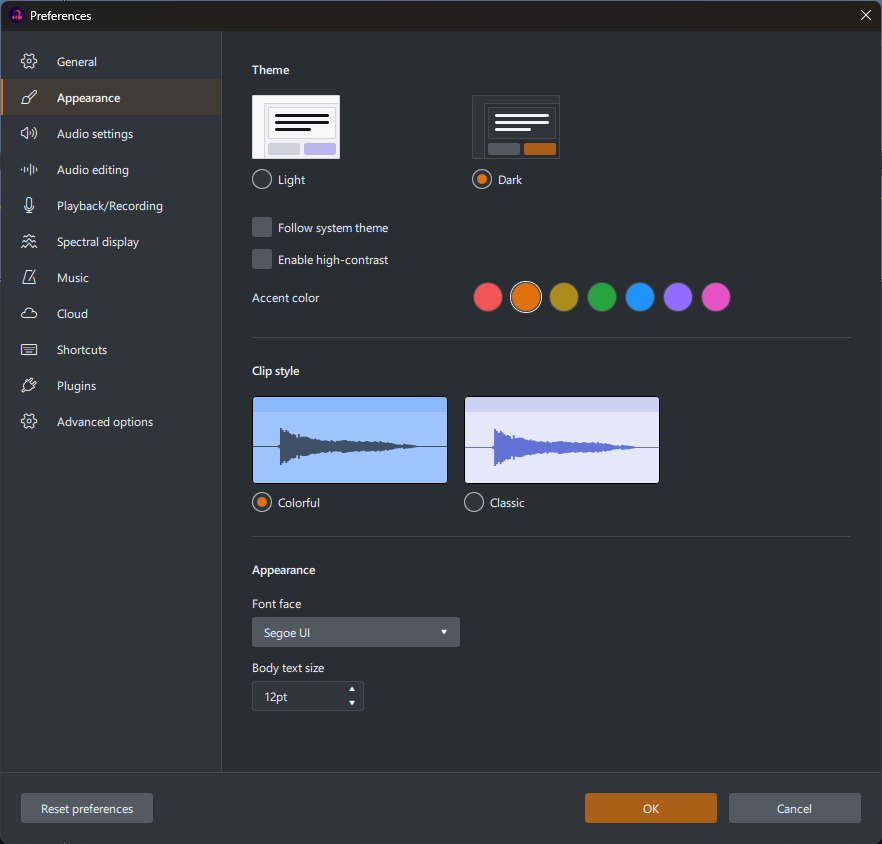
I have some new 4K monitors. The fonts in the normal menu sections of Audacity controlled by the window manager are fine, but the text withing Audacity itself is very small. For example, Opening the Preferences or Edit Metadata Tags menus shows the internal text at a very small point size on these monitors. Is there any way to to make the size of this text larger?
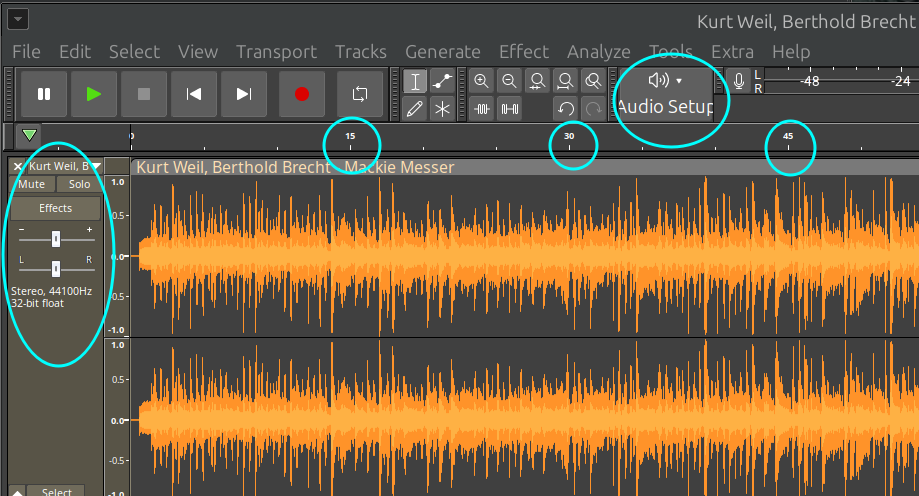
Also, it appears that the window manager text is being displayed on the Audacity Device Toolbar. This text (e.g., “ALSA” and “Channel”) is too large for the size of the buttons and is being truncated both horizontally and vertically. Is there a way to increase the size of the toolbars along with the text size?
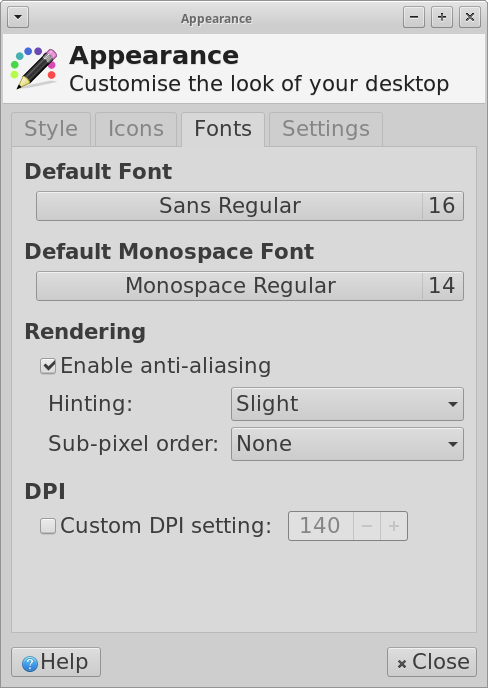
I really appreciate the reply. However, I unchecked the Custom DPI box and all the system fonts got very small. OK. Then I tried to increase the default font size and when I did, it completely blew up the xfce4 desktop/window manager! The screens (I have a dual monitor setup) went blank for 5 minutes and then logged me out. When I logged back in the scale of everything was blown up like I was on Windows with a 1990’s monitor. The screens were now mirrored rather than treated as two adjacent monitors and other things were off. I managed to reset the parameters back to the defaults and then when I tried to reboot, it instead logged me out again! I finally got the system to reboot and everything was pretty much back to normal. i guess I’ve found a major bug in the window manager! It may be an artifact of having an Nvidia GPU, but I’m not sure. So, no relief so far.
I just came here because I have the same problem as the OP. I run Xubuntu on a Huawei Matebook 13" with 200ppi. The font is microscopic.
Unchecking the DPI setting and fiddeling with the font size is no option as it kills pretty much everything else, especially any web applications you might to run from your browser.
So I guess the issue is known for at least 10 years. Any ideas why it has never been resolved? Is it low priority because there really are so few aspiring audacity users with high ppi monitors or is it actually difficult to fix.
Just raising my hand as a user of a high DPI monitor (3840 x 2160 - 4K “Ultra HD”).
I use KDE and have Display Configuration - Global Scale set to 150% and Fonts - Force Font DPI set to 144 which works well for all KDE apps and most GTK apps.
Audacity is usable - menus and dialogues are fine - but toolbar buttons are smaller than is comfortable, and fonts are too small in the recording device, playback device, timeline, selection timestamp and other widgets.
Xubuntu 24.04, Audacity 3.4.2. Custom DPI Setting is off.
November 2024 and it is still a problem in some cases. While the menu is readable because the XFCE’s Appearance > Fonts > Default Font setting is respected, there are still some problems.
The text on the left bar next to a track is small, the times on the time bar are even smaller. The button text for Audio Setup does respect the XFCE settings but the button does not resize. The levels for playback and recording look OK but smaller than the XFCE settings. That’s a lot of font sizes not respecting system settings, not even in a percentage.
I hope these things will become configurable under the Audacity settings.
Thank you for creating this topic, fellow users (Except one, Mr. Steve is one of the Masters of the Audacity Universe).
As I am getting older and my eyes are no longer as young as they used to be, I too am beginning to feel the same annoyance with "some of the application interface fonts other than the menu fonts (what do you call them, is there a shorter term for these features of the application?), which can be changed by system settings. Particularly, the font size of the timeline bothers. Too tiny to be read comfortably.
Yes, I considered wearing a pair of reading glasses, which is a good idea. But other than using these, is there any other way?
But if these “other than menu” fonts have to be changed, the Monitor/Display resolution appears to have to be changed. Which might create other issues.
So would installing a screen magnifier be the only solution?
Temporarily, I reduced the system’s font and also reduced the monitor resolution. A bigger screen could compensate for the change, but for laptops this could be bothersome.
Does Audacity have the scope for a Magnifier tool to read some sections of the interface?
Add me to the list of people who REALLY want this.. I am using stock Mint linux, and everything else looks great, but the info in the track detail on the left margin, and the info at the bottom of the screen are WAY too small.