If it is a reasonably short mono sound, then you could loop through the samples and compare the sample value with your selected “threshold” level.
You would then need to keep a note of the first time and the last time that the threshold was crossed.
The sample number divided by the sample rate gives you the time in seconds.
There are a number of things that make it a bit tricky, notably that you need to keep track of whether the waveform is above or below the threshold, then implement the logic to record the crossing times. In short, it’s possible, but a bit tricky, so it’s not something to knock up in 5 minutes.
I see. I’ll look for a work-around. There is (again…) another plugin I could use which may be less difficult to make…maybe
Is there a way to make “the average” of 2 recordings.
example:
recording 1 (7 samples with the following amplitudes: 0 0.2 0.4 0.8 0.5 0.3 0)
recording 2 (7 samples with the following amplitudes: 0 0.1 0.6 0.9 0.4 0.1 0)
result (7 samples: 0 0.15 0.5 0.85 0.45 0.2 0)
I understand I can only send one chunk of audio to the plugin, so I could paste them one after the other (making a total recording of 14 samples in this example): 0 0.2 0.4 0.8 0.5 0.3 0 0 0.1 0.6 0.9 0.4 0.1 0
So, the first part the plugin should do is count the amount of samples: 14 in this case. 14/2 = 7, so it has to compare sample 1 with sample 8 (=1+7); sample 2 with sample 9 (=2+7); sample 3 with sample 10 (=3+7);…
The resulting wave will be only half of the length, I don’t care what happens with the second half (can be deleted or silenced). What do you think? : ) possible?
The result is what you asked for - the average of the two tracks, which as Robert said, is the same as a mix of the two tracks (the two tracks added together) then made 6 dB quieter (divided by two = average).
There is an old Mac OS program called SoundEffects 0.9.2 which has a waveform smoother plugin. The program is a proper waveform editor with a host of effects, a precursor to Audacity and a successor to the old Hypercard SoundEdit app. I’m surprised Audacity doesn’t include this type of filter, or an enhanced version of it. This thing could smooth any length of the track unlike the short Click repair in Audacity and it was an incremental process filter so you could repeat the filter to enhance the smoothing effect. I’m not sure what they coded the plugin with, but it shouldn’t be hard to find out and reproduce it. Get yourself a Mac OS emulator if you haven’t one already and get your hands on a copy!
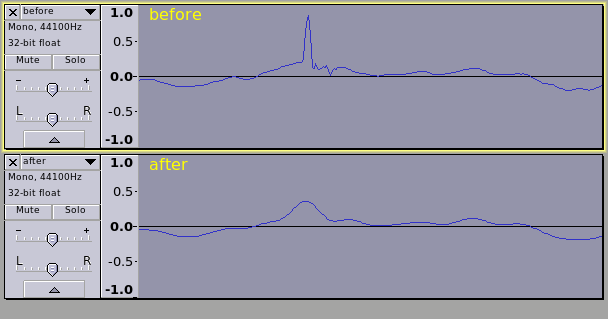
What he wants is to insert a waveform abruptly and then have it blend into a successive signal. It’s already possible to produce waveforms, but he’s looking for the second effect to transition the sound, and that’s what the plugin I mentioned is all about. It performs the second half of the task and it does it well (albeit on an outdated program). Of course he wants to perform it from Nyquist console and he wants it to all happen at once, so in that respect it is different but the goal of shaping the wave is the same.
If you know of a solution that already exists to smooth out the waveform incrementally and is not limited to small sections of audio such as with the repair tool then that might actually be helpful to him, myself, and many others.