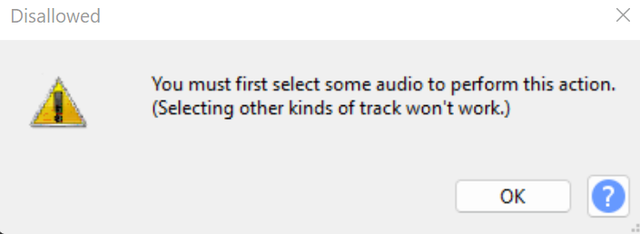
Yup, I know this is an old thread, but it was useful to me for subtracting the error correction from a raw wave file to examine its effects. Dunno what the other guy was doing, this info worked perfectly, first time. Of course the data needs to be sample aligned for it to work though.
I’m sorry, but I have even more suggestions like to the issue at hand.
Comparing, contrasting, identifying superficial differences; among, between; two tracks in Audacity.
Import [C-S-i] the two tracks.
Reduce the gain of both; I should say by about -12 dB.
Zoom your view in [C-1] tight enough.†
Set one slightly after the other (with Time Shift Tool [F5]or the track’s drag bar or Clip Handle); the beat of the second comes as off the back wall of the dancehall, but of course not so far that you can’t track it.
And you might try with and without, or you might not, but especially with headphones and stereophonic players…
Pan the first track to the far left, and pan the second track to the far right.
Now the following:
Listen; contrast.
Observe the waveform shapes; †this occurs to how much you’d like to zoom in; contrast.
That was 2 1/2 years ago. Things have changed.
You will get the old behavior if you enable:
“Preferences > Tracks Behaviors > Select all audio, if selection required:”