Audacity Is Already Running Error
After you do an emergency shutdown, it’s a terrific bet that the system will think Audacity is still running when it’s not. That’s when you go to a specific System location and kill a session file.
Start with Go at the top of your desktop.

Go to Folder…

Paste or type this line into the box.
~/Library/Application Support/audacity
Do not leave out the squiggly line (tilde) at the beginning and “audacity” is not capitalized.

Go. That will send you here. Those are the Audacity “back room” support files and folders.
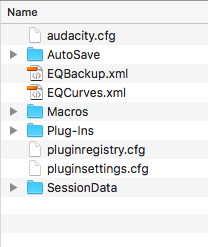
Double click the SessionData folder to open it and it should look like this on a normal machine without Audacity running.

If yours has one of these or any other files or folders, delete them.
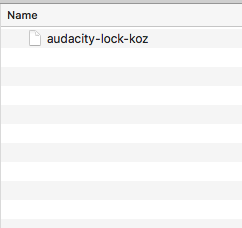
Close everything back out to the plain desktop and try to launch Audacity.
Koz