It’s difficult to ask that person to re-record it with lower input level.
Accept this one with the damage and send them a note to record lower volume next time.
I can see those red vertical lines (clippings). How can we remove such clippings without affect the sound quality with Audacity 2.2.2
You don’t. Once you get multiple red lines in a file, it means the microphone stopped following the performance. Many nasty things happen when you overload the sound channel, the two worst ones are the sound channel starts making up its own sound, usually crashing, crunching, ticking and popping; and there is no clean voice or instrument there to rescue.
There is the Clip-Fix tool, but that is only to fix one of those red marks and then only if it’s by itself. It won’t do a thing for multiple overloads.
I did a cartoon about this.
This is also why if you buy a USB microphone, it almost always records low volume. You can fix that later. You can’t fix overload and clipping. It’s called clipping because it looks like somebody came along and clipped off the tops and bottoms of the blue waves. Some microphones have a little red light that comes on when you are about to damage the sound. But you have to pay attention to the light.
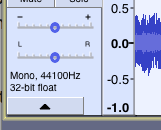
One other note, you don’t need sound on both the Left and Right tracks to be heard in both speakers or headphones. As above, tag the single blue wave as “Mono” and speaker systems will automatically send the show to both speakers. This is how audiobook companies strongly suggest you submit voice recordings.
Koz