I have just had an old laptop upgraded from Windows 7 to a new laptop on Windows 10. The files that I created in Audacity (2.06) will now only open in very small individual files under the main file. How can I get it to playback as one recording?
An Audacity 2 project consists of 2 parts. First is the AUP file (for example MyProject.aup). Second is a folder (in this example it would be MyProject_data).
The _DATA folder contains the audio, in snippets of 1MB or less (these files have a .AU extension). The AUP file contains instructions on how to put those files together.
The AUP file and the _DATA folder must be in the same directory (folder).
To open the project you must open the AUP file, not the individual AU files.
1 Like
I use 2.2.1, as 3 moved to one file. I’ve not had your issue.
Here’s where I get legacy editions: (Edit: FossHub doesn’t have links to the 2s any more)
I’ve been using Audacity for decades, which included upgrading computers and operating systems.
I’ve tested many of the 2 series. This one has been very solid and had the best scores from other users.
S.
That link will not get you anything before 3.0.0. You’ll note that for anything before 3.0.0 there is no link to a DMG or installer, and the text says “File link not verified”. When there is a link, it just points to Gibhub.
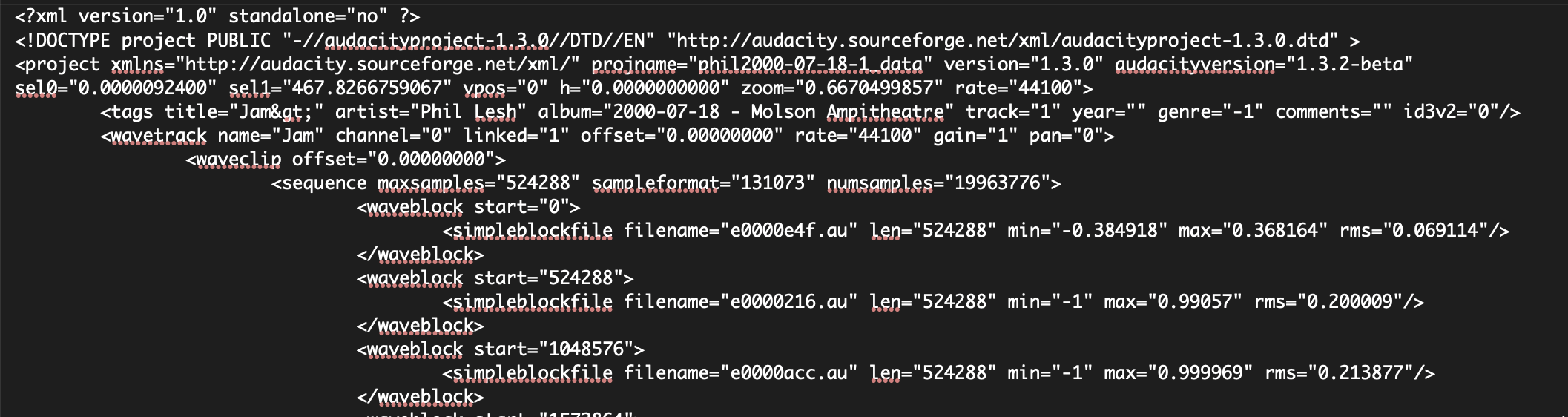
When i try to open the AUP file it lists all the smaller ones and does nothing else
Ah…progress.
A search engine might provide more useful info.
Thanks, Bill.
What program is it opening in? It sounds like you are just seeing the text inside the AUP file.
Are you seeing something like this?
Install Audacity 3.7.9 on your computer. Double-click the AUP file. If the AUP file and its associated _DATA folder are together in the same directory/folder, the project will open.
Thank you all of you, I cracked it now
How did you crack it?