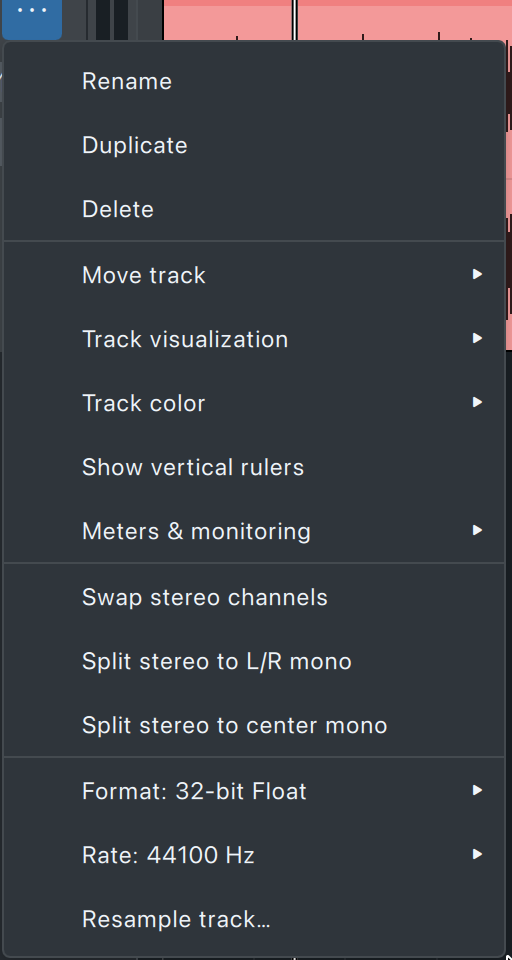
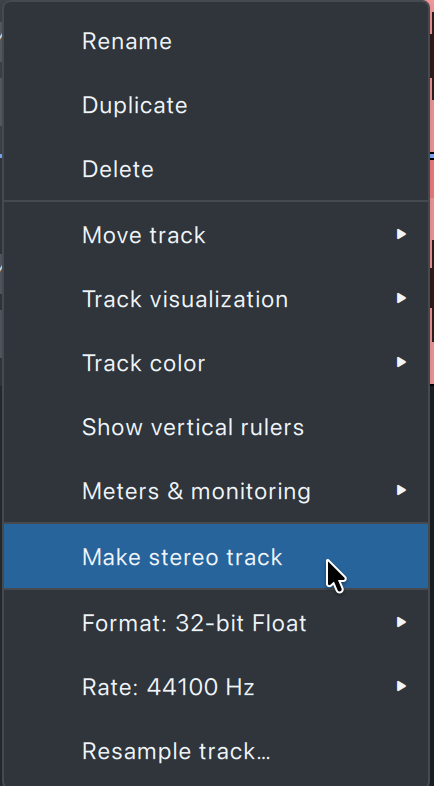
Hi, transitioning to 4.0. Is split-L/R and re-combine missing? I see in the keyboard shortcuts there’s an unassigned entry for split, and apparently nothing for a re-combine function. So I’m afraid to even attempt it! I prefer buttons or pulldowns for this, but there doesn’t seem to be anything on the UI for it? In 3.0, I think it was under tracks, and also in the panel to the left of the waveform which where I know it from and always used it. Does that left panel have invisible options that can be enabled? Is this all missing from the UI? It’s an absolute function for me! (I’m capturing and cleaning up for cassette capture, and L/R tracks commonly have to be shifted ever so slightly into alignment, and independently for side 1 and side 2!)
I’m MacOS with M-series processor.