Since the latest couple of updates, I get this error window each time I open Audacity claiming my disk may be full - it isn’t - or I don’t have write permissions - I do! Windows 11 Pro. I always ignore the error and have no Audacity problem for that session. I’m not running from cloud or OneDrive or anything but a decent/recent desktop PC. How can I “correct” this? Thanks.
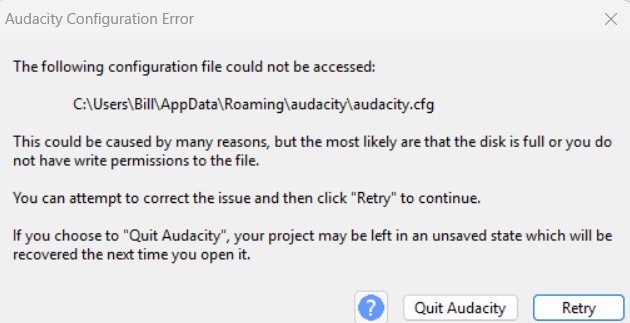
You can delete (or move to another place) the “audacity” folder in AppData/Roaming while Audacity is not open. Then re-start Audacity, the folder will be re-created (but you’ll lose all previously made changes to the settings of Audacity).
If Audacity then is working “as normal”, there was a problem with the configuration file(s) temselves. If not, there may be a permission error for the AppData folder. Are you 100% sure your drive C: is not “full”?
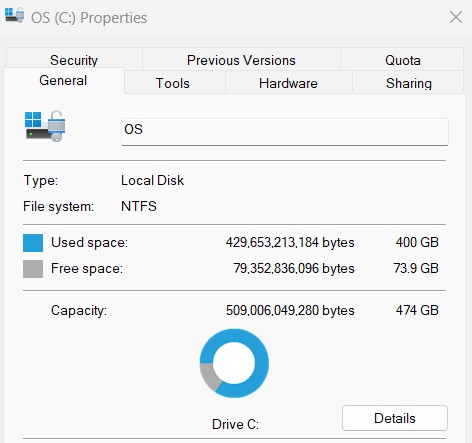
Yeah, I tried deleting the cfg file and having another created. Happened again a few time later. Definitely not a “full” drive:
I wrote you should move or delete the “audacity” folder where the config file resides within…
What are your permissions for the “audacity” folder in %AppData%/Roaming?
I tried that too - pretty much an empty folder without the cfg.

This topic was automatically closed after 30 days. New replies are no longer allowed.